A dedicated blog for Android repair tools, maintenance tutorials, protection solutions, and free PC services from MatrixEgyTech.
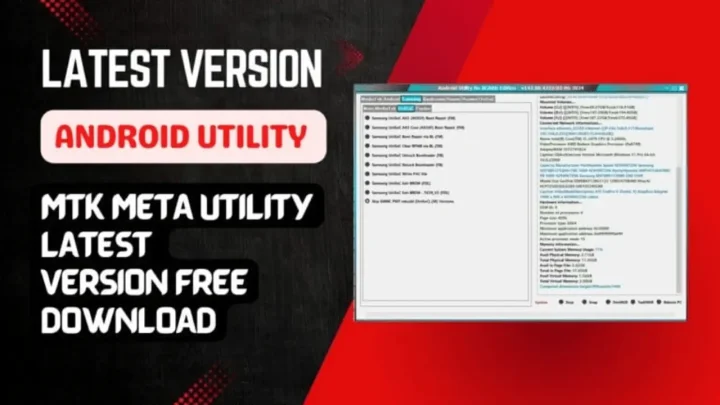
Android Utility PRO (AUP): v182 New Update
Get link
Facebook
X
Pinterest
Email
Other Apps
Android Utility PRO (AUP): The Ultimate Tool for Faster, Smarter Android Repair
تُعد أداة Android Utility PRO من أقوى الأدوات المتاحة لمتخصصي صيانة الأجهزة المحمولة وهواة التقنية. تقدم هذه الأداة مجموعة واسعة من الميزات التي تسهل عمليات الصيانة والإدارة لأجهزة أندرويد بمختلف أنواعها.
Android Utility PRO: الحل الأمثل لإدارة أجهزة أندرويد
أبرز ميزات Android Utility PRO:
فتح محمل الإقلاع (Bootloader): تمكنك الأداة من فتح محمل الإقلاع بسهولة، مما يتيح لك تخصيص الجهاز وتثبيت رومات مخصصة.
وضع Brom الإجباري: تتيح هذه الميزة إدخال الجهاز في وضع Brom لتسهيل عمليات الصيانة المتقدمة.
تفريغ محمل الإقلاع (Preloader): يمكنك استخراج بيانات محمل الإقلاع لاستخدامها في عمليات الصيانة والتحديث.
إعادة تشغيل في أوضاع متعددة: تسمح الأداة بإعادة تشغيل الجهاز في أوضاع مختلفة مثل وضع المصنع، وضع التنزيل، ووضع Fastboot لتلبية احتياجات الصيانة المتنوعة.
فحص صحة الذاكرة: تقدم الأداة إمكانية فحص صحة ذاكرة الجهاز (eMMC/UFS) للتأكد من سلامتها وأدائها الأمثل.
إدارة الأقسام (Partitions): تتيح لك الأداة قراءة وكتابة أقسام الذاكرة المختلفة، مما يسهل عمليات التحديث والإصلاح.
تخطي حساب جوجل لبعض موديلات سامسونج: إحدى الميزات الجديدة التي تقدمها الأداة هي القدرة على تخطي حساب جوجل لبعض موديلات سامسونج التي تكون مغلقة بحساب جوجل بعد إعادة ضبط المصنع.بإمكانك بسهولة تجاوز هذا القفل واستعادة الوصول الكامل إلى جهازك.
تفليش الأجهزة وإحيائها: إذا كانت لديك أجهزة سامسونج معطلة أو تحتاج إلى تفليش جديد، فإن الأداة توفر لك إمكانية تفليش هذه الأجهزة بأحدث الرومات، مما يساعد في إحيائها وتحديثها.
دعم واسع للأجهزة: تدعم الأداة مجموعة كبيرة من أجهزة أندرويد، بما في ذلك أجهزة سامسونج، هواوي، شاومي، وأجهزة بمعالجات MediaTek وQualcomm.
فوائد استخدام Android Utility PRO:
توفير الوقت والجهد: بفضل واجهتها البسيطة وميزاتها المتقدمة، تسهل الأداة عمليات الصيانة وتقلل من الوقت المستغرق في أداء المهام.
تحديثات مستمرة: يحصل المستخدمون على تحديثات دورية تضيف ميزات جديدة وتحسن من أداء الأداة.
مجانية وبدون حاجة لبطاقة ذكية: تُقدم الأداة مجانًا ولا تتطلب استخدام بطاقة ذكية، مما يجعلها متاحة للجميع.
Click the arrow to reveal the translation in English
Discover the Power of Android Utility PRO : The Ultimate Tool for Faster, Smarter Android Repair
The Android Utility PRO (AUP) is undoubtedly one of the most powerful tools available for mobile device technicians, Android repair specialists, and tech enthusiasts. Not only does this tool offer a wide range of features, but it also simplifies maintenance and management operations for various Android devices. Moreover, it provides an all-in-one solution that helps streamline the repair process, saving both time and effort. Furthermore, with its comprehensive toolkit, users can efficiently address issues such as software updates, system optimizations, and more. As a result, Android Utility PRO (AUP) has become an indispensable resource for those looking to manage and repair Android devices with ease.
Key Features of Android Utility PRO:
Bootloader Unlocking: The tool allows you to easily unlock the bootloader, enabling device customization and the installation of custom ROMs.
Force Brom Mode: This feature enables you to put the device into Brom mode to facilitate advanced maintenance operations.
Preloader Dumping: You can extract preloader data for use in maintenance and updates.
Multiple Reboot Modes: The tool allows you to reboot the device into various modes such as factory mode, download mode, and fastboot mode to meet diverse maintenance needs.
Memory Health Check: The tool offers the ability to check the health of the device’s memory (eMMC/UFS) to ensure its optimal performance.Partition Management: The tool allows you to read and write to various memory partitions, making updates and repairs easier.
Wide Device Support: The tool supports a wide range of Android devices, including Samsung, Huawei, Xiaomi, and devices with MediaTek and Qualcomm processors.
Bypassing Google Account (FRP Bypass) for Some Samsung Models
One of the new features offered by the tool is the ability to bypass the Google Account (FRP) lock for certain Samsung models that are locked with a Google account after a factory reset.
Easy and Efficient Unlocking
As a result, you can easily bypass this lock and regain full access to your device. Moreover, this feature simplifies the process significantly, making it faster and more efficient.
No Complicated Steps or Costly Software
In addition, you won’t need any complicated steps or costly software, which makes it an ideal solution for users facing FRP issues. Therefore, with this tool, you can quickly unlock your device and get back to using it without any hassle.
Flashing and Reviving Devices: If you have Samsung devices that are malfunctioning or need a fresh flash, this tool allows you to easily flash these devices with the latest ROMs. As a result, you can revive and update them to ensure optimal performance. Furthermore, the process is straightforward, making it accessible even for beginners. Additionally, by using this tool, you can ensure your devices are up to date and functioning smoothly.
🛠 A deeper dive into UFS Reset support has been implemented, with real testing done on Motorola UniSoC devices. To streamline the repair process, three dedicated options have been added to the AUP Tool:
📌 New Boot Repair Options:
⌕ MOTO Auto Boot Repair by Model
🔹 Uses built-in FASTBOOT-only files for quick auto-repair.
⌕ MOTO Boot Repair via DUMP
🔹 Full dump-based repair – recommended for complete flash and deeper fixes.
⌕ MOTO Boot Repair via PAC
🔹 Uses PAC firmware for a complete restore when needed.
✅ Tested / Trial Devices:
Motorola E14 – Tested
Motorola G14 – Tested
Motorola G04s – In progress
Motorola G04 – Awaiting full dump (G04s files not compatible despite similar product IDs)
🧪 Initial trials show G04 requires its own specific files – G04s files won’t work even though both share the same product line.
🔄 Next Steps: Once the G04 dump is pulled, the tool will be updated with complete support for all listed models.
* Added Transsion : (INFINIX, TECNO, ITEL) – Anti-crac-k removal procedure from META Mode …
Tested on (INFINIX GT20 PRO X6871 & Tecno KL4).
Permanent remove NOT bypass.
NOTE: The feature is limited and is a server-based solution, so it could be disabled at any time in the future. &, it is limited per user, only few attempts per day are allowed.
This tutorial is intended for educational purposes only. We do not endorse or support any illegal activities. Therefore, always ensure that you have the legal right to unlock and modify your device before proceeding with any FRP bypass or account unlocking methods.
هذا الدرس لأغراض تعليمية فقط. نحن لا نؤيد أو ندعم أي أنشطة غير قانونية. تأكد دائمًا من أنك تملك الحق القانوني في فتح وتعديل جهازك قبل المتابعة في أي طرق لتخطي حساب جوجل أو فتح الحسابات.
للمزيد من المعلومات وحل المشكلات الأخرى، يمكنك زيارة موقعنا الرسمي
Your support truly means the world to me! Whether it’s by sharing, subscribing, watching ads, or contributing in any way, every little bit plays a crucial role in helping me create more content. Without your support, this journey wouldn’t be possible. So, I want to take a moment to express my sincere thanks for being a part of this exciting adventure! Together, we can continue to grow and achieve even more. ❤️
Discover more free mobile repair tools of 2025, which include a wide range of advanced technical solutions. These tools, for instance, offer the ability to unlock phones, bypass Google account verification, fix IMEI and serial numbers, as well as repair network issues and revive dead boot devices. Whether you’re looking to fix your personal device or need professional tools to assist with mobile repairs, you’ll find a collection of free tools that are perfect for all of this and more. Additionally, you can read more about each tool to get detailed instructions on how to use them properly. Furthermore, these tools cater to the needs of all users, whether beginners or professionals.
Learn how to unlock the bootloader on new Unisoc devices (T7510) with this easy-to-follow guide. 💡 Learn how to unlock bootloader on the latest Unisoc (T7510) devices using two effective methods! Whether you’re using a custom token or private key, this step-by-step guide makes the process simple, safe, and beginner-friendly—no advanced skills required. Instructions unlock bootloader Step 1: overwrite stack to execute FDL1 without verfication Use custom_exec_no_verify_3f88.bin to replace the stack if the device entered download mode by holding a specified button during startup (usually volume down). Use custom_exec_no_verify_3f28.bin to replace the stack if the device entered download mode after all efforts to boot failed (for example, if the splloader was deleted and no key was hit). Make custom_exec.bin in accordance with BootROM for more Socs affected by CVE-2022-38694. Step 2: Modify FDL1 Patch 1: NOP(1F 20 03 D5) verfication in data_exec. Patch 2: ...
🔧 MRT Tool V6.0.0 is officially released and available for free with one year of access , offering full functionality to all users. This powerful update comes with enhanced speed, stability, and a fully automated system that no longer requires manual brand or model selection. Whether you need flashing , unlocking , or device repair , MRT Tool V6.0 handles everything effortlessly. It also introduces support for a wide range of Samsung Qualcomm devices including the A71 5G, Note20 Ultra, S23+, and more. 🚀 What’s New in MRT Tool V6.0? ✔️ Completely automated operations – no brand/model selection required ✔️ Supports Mediatek, Qualcomm, UniSoc, and Samsung platforms ✔️ User-friendly interface and improved performance ✔️ Full support for Meta, Download, ADB, and Diag modes ✔️ Enhanced compatibility with new chipsets and security updates 🔍 Key Features by Platform ✅ Mediatek (MTK) Factory Reset FRP Remove / FRP Samsung Remove Backup / Restore NV IMEI Repair Unlock / Relock Bootloader F...
Enter HammerTool MediaTek (HMT MTK) v1.0 : a free, all-in-one software solution that simplifies and speeds up MTK service operations. If you’ve ever worked on MediaTek-based smartphones—whether for FRP bypass, firmware dumps, or fixing bootloops—you know how challenging it can get without the right tool. Download HammerTool HMT MTK v1.0 – A free and advanced tool for MediaTek Android phones, offering flashing, FRP unlock, and repair options. 🚀 Why Use HammerTool MediaTek? Most MTK tools on the market either hide essential features behind paywalls or are overly complicated. HMT MTK v1.0 , on the other hand, is: ✅ Completely free ✅ Easy to use ✅ Packed with professional features ✅ Regularly updated to support new phones It works via DA Mode , the standard for MediaTek devices, and allows manual loading of DA, Auth, and Preloader files , perfect for stubborn or newer models. 🛠️ Key Features Breakdown 🔓 Format & FRP Options Erase FRP (generic and Samsung-specific) Safe Format (keeps...





Comments
Post a Comment