How to Fix "Switch to YouTube.com" Error on Old Android Devices (No Root/No Flash)
Introduction
If you own an older Android device running Android 7, 6, 5, or even 4, you might have encountered the frustrating “Switch to YouTube.com” error. This issue arises due to the latest YouTube updates, making the app incompatible with outdated Android versions. But don’t worry—there are easy fixes that allow you to continue watching YouTube on your device without rooting or flashing.
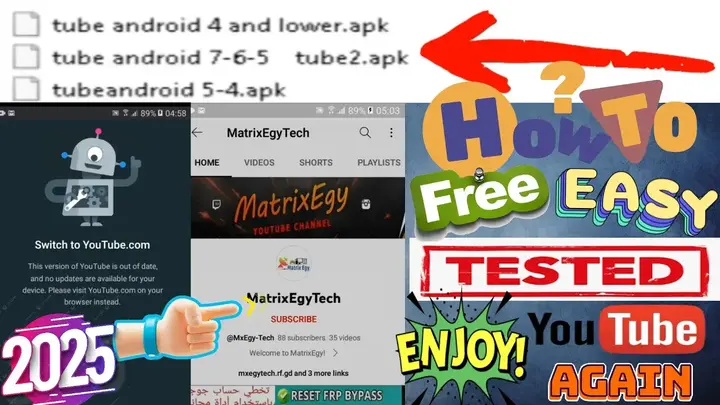
In this guide, we will show you two effective methods to solve this problem and get YouTube working again.
Why Does the “Switch to YouTube.com” Error Occur?
This problem is caused by YouTube’s updated security protocols and API changes, which restrict access for older app versions. As a result, devices running outdated Android versions are forced to use the browser instead of the app.
Solutions to How to Fix ” the YouTube.com Issue
✅ Method 1: Install a Trusted YouTube APK (Recommended)
- Download a Compatible YouTube APK
- Find and install a version of YouTube that supports your device, (for Android 5) or other compatible APKs.
- Ensure you download the APK from a trusted source to avoid security risks.
- Install MicroG (If Needed)
- If using a modified YouTube version (such as YouTube Vanced or ReVanced), you may need MicroG to log in.
- Disable Auto Updates
- Go to the Play Store, search for YouTube, and disable auto-updates to prevent YouTube from updating to an incompatible version.
- Enjoy YouTube Without Errors!
- Launch the YouTube app and check if it works smoothly without redirecting you to YouTube.com.
✅ Method 2: How to Fix Watch YouTube Without Installing Additional Apps
- Use a Custom Web Browser
- Download a lightweight browser like Kiwi Browser or Firefox that supports extensions.
- Install a User-Agent switcher extension and set it to mimic a desktop browser.
- Enable Desktop Mode
- Open YouTube in your browser.
- Enable “Desktop Site” from the browser settings.
- Bookmark YouTube for Easy Access
- Create a shortcut for YouTube on your home screen for a more app-like experience.
- Use a VPN (Optional)
- If YouTube restricts access in your region, try using a VPN to bypass limitations.
Devices Tested & Confirmed Working
This solution has been tested and confirmed working on the following devices:
✔️ Samsung: Galaxy J1 Mini Prime, J2, G532, G530, S6
✔️ Huawei: Honor 6, Ascend G7, GR5 2017
✔️ Moto: X Play, X Force
✔️ Infinix: Smart 6
✔️ Tecno: L8 Lite
✔️ Oppo: F1
✔️ Xiaomi: Redmi 3S
✔️ Micromax: Evok Power
✔️ Wiko: Jerry Max
✔️ ZTE: Blade A602
✔️ Lenovo: K10, A7700
✔️ HTC: Desire 10 Lifestyle
✔️ Lava: X28
✔️ Sony: Xperia XZ, Xperia Z3
✔️ Panasonic: Eluga Note
✔️ LG: G4, G3
Conclusion
By following these methods, you can successfully fix the “Switch to YouTube.com” issue and continue watching YouTube on your older Android device without needing a PC, root access, or flashing.
If you found this guide helpful, share it with others facing the same issue!
انقر فوق السهم لإظهار الترجمة باللغة العربيه
كيفية تشغيل يوتيوب على أندرويد 7/6/5 | حل مشكلة “Switch to YouTube.com” | تحديث مارس 2025
هل تواجه مشكلة “Switch to YouTube.com” على هاتفك الأندرويد القديم؟ إذا توقف تطبيق يوتيوب عن العمل فجأة، فأنت لست وحدك. تحدث هذه المشكلة بسبب تحديث يوتيوب 2025، الذي يجعل التطبيق غير متوافق مع إصدارات أندرويد القديمة (7، 6، 5، و4).
لكن لا تقلق! في هذا المقال، سنقدم لك الحل النهائي والمجاني لحل هذه المشكلة واستعادة تشغيل يوتيوب على هاتفك القديم بسهولة.
🔧 أسباب المشكلة:
🔹 تحديث يوتيوب الجديد يجعل الإصدارات القديمة غير مدعومة.
🔹 رسالة “التبديل إلى YouTube.com” تظهر عند محاولة تشغيل التطبيق.
🔹 توقف التطبيق عن العمل على أجهزة قديمة مثل سامسونج، هواوي، أوبو، شاومي، وغيرهم.
✅ طرق حل المشكلة:
📌 الطريقة 1: تثبيت تطبيقات يوتيوب موثوقة ومعدلة لحل المشكلة.
📌 الطريقة 2: حل المشكلة بدون تثبيت أي تطبيقات إضافية.
📌 ✔️ جميع الحلول مجانية وسهلة التنفيذ دون الحاجة إلى فلاش أو روت.
📱 الأجهزة التي تم اختبار الحل عليها:
✔️ سامسونج: G532، G530، J1 Mini Prime، S6
✔️ هواوي: Ascend G7، GR5 2017، Honor 6
✔️ أوبو: F1
✔️ شاومي: Redmi 3S
✔️ لينوفو: K10، A7700
✔️ سوني: Xperia XZ، Xperia Z3
✔️ إل جي: G4، G3
✔️ HTC: Desire 10 Lifestyle
✔️ وغيرها من الأجهزة القديمة!
🔎 استمتع بيوتيوب على هاتفك القديم مجددًا!
✅ بدون روت
✅ بدون فلاش
✅ بدون الحاجة إلى كمبيوتر
كل ما عليك فعله هو اتباع الخطوات المذكورة، وستتمكن من تشغيل يوتيوب مرة أخرى بكل سهولة.
إذا كنت تواجه هذه المشكلة، جرب الحلول الآن وشارك المقال مع أصدقائك ليستفيد الجميع! 🚀📲
#حل_مشكلة_يوتيوب #يوتيوب_لا_يعمل #تحديث_يوتيوب_2025 #MxEgyTech #MatrixEgy
Download youtube fix apks all android
YouTube ReVanced 17.34.36 is completely dead /YouTube ReVanced for Android 5 (16.40.36) is almost dead 💯 😍But We add New Fix For All Our Followers Enjoy😍💯
يوتيوب ReVanced 17.34.36 توقف تمامًا عن العمل! 😢
يوتيوب ReVanced لنظام أندرويد 5 (الإصدار 16.40.36) يكاد يكون غير صالح للاستخدام… ⚠️🚀 لكننا أضفنا إصلاحًا جديدًا لجميع متابعينا!😍😍💯 🎉
Go to the Download Page
للذهاب لصفحة التحميل
يمكنك من خلال الضغط علي الزر التالي الذهاب لصفحة فحص وتحضير الروابط.
You can go to the link preparation and check page by pressing the button below.

PASS/كلمه السر :mxegy frp
⚡ تنبيه قانوني | Legal Notice:
This tutorial is intended for educational purposes only. We do not endorse or support any illegal activities. Therefore, always ensure that you have the legal right to unlock and modify your device before proceeding with any FRP bypass or account unlocking methods.
هذا الدرس لأغراض تعليمية فقط. نحن لا نؤيد أو ندعم أي أنشطة غير قانونية. تأكد دائمًا من أنك تملك الحق القانوني في فتح وتعديل جهازك قبل المتابعة في أي طرق لتخطي حساب جوجل أو فتح الحسابات.
للمزيد من المعلومات وحل المشكلات الأخرى، يمكنك زيارة موقعنا الرسمي
Your support truly means the world to me! Whether it’s by sharing, subscribing, watching ads, or contributing in any way, every little bit plays a crucial role in helping me create more content. Without your support, this journey wouldn’t be possible. So, I want to take a moment to express my sincere thanks for being a part of this exciting adventure! Together, we can continue to grow and achieve even more. ❤️

Top Free Mobile Repair Tools & Mobile Repair Guides 2025
Discover More Free Mobile Repair Tools of 2025, which include a range of advanced technical solutions, Mobile Repair Guides. These tools offer the ability to unlock phones,bypass Google account verification, fix IMEI and serial numbers, as well as repair network issues and revive dead boot devices. Whether you’re looking to fix your personal device or need professional tools to assist with mobile repairs, you’ll find a collection of free tools perfect for all of this and more. Read more about each tool to get detailed instructions on how to use them properly. These tools cater to the needs of all users, whether beginners or professionals, and support most brands like Samsung, Huawei, Xiaomi, Oppo, and others.


Comments
Post a Comment