DFT Pro Tool V4.2.1 With Keygen and Loader [Free Download]
Download DFT Pro Tool 4.2.1 Free – Full Features & Installation Guide
DFT Pro Tool V4.2.1 is a powerful mobile repair software that enables users to fix, unlock, and reset various devices with ease. This latest version has been released by an independent developer and is available for free, with no login or account required.
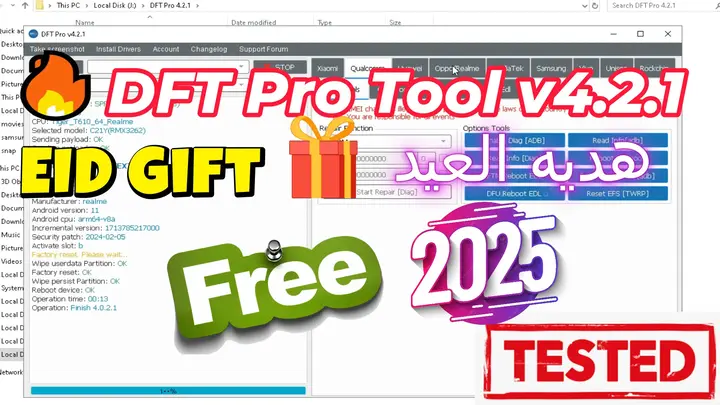
🔹 What’s New in DFT Pro 4.2.1?
Xiaomi Mediatek Enhancements
- Auth-2024 support with custom DA files.
- Automatic patch cert improvements.
New Supported Devices
- Redmi 13 (moon)
- Redmi A3 (blue)
- Redmi 13C (gale)
Unisoc/SPD Update
- Added EROFS support.
⭐ Main Features of DFT Pro Tool V4.2.1
Xiaomi Special Functions
✅ Enable Diag
✅ Read Info
✅ Reboot
✅ TWRP Mode
✅ Wipe EFS || Backup EFS
✅ Root Device || Restore EFS
✅ Reset MI Account ID (New Method)
✅ Repair IMEI
✅ Mi Assistant (Wipe EFS, Wipe Data & Storage, Unlock Bootloader, Downgrade Modem, FRP Reset)
MediaTek (MTK) Features
✅ Read Information || Fix Null Baseband
✅ IMEI Repair || Factory Reset
✅ Reset FRP || Backup/Restore NVRAM
✅ Unlock & Relock Bootloader (BL) || Wipe NVRAM
✅ Switch Meta Mode || Exit Brom Mode
✅ Root Device || Read/Write/Erase RPMB
✅ Patch CERT/vb meta || Remove Patch
Qualcomm Functions
✅ Flash EDL
✅ QCN Tool
✅ Reset MI Account ID
✅ FRP Generic Reset
Samsung Tools
✅ Reset EFS Default
✅ Read Info & Reboot
✅ Reset FRP (Download Mode)
✅ Disable Knox
✅ Fix Demo Network
Other Features
✔️ Oppo & Realme Support
✔️ Vivo FRP Reset
✔️ Huawei Repair & IMEI Fix
✔️ SPRD (Spreadtrum) FRP Reset
Read also Tera Tool v1.0.2.7 With Keygen and Loader – Free Download 2025
Read also Cheetah Tool Pro New With Loader and Keygen Free Download 2025
📥 How to Download, Install, and Activate DFT Pro V4.2.1
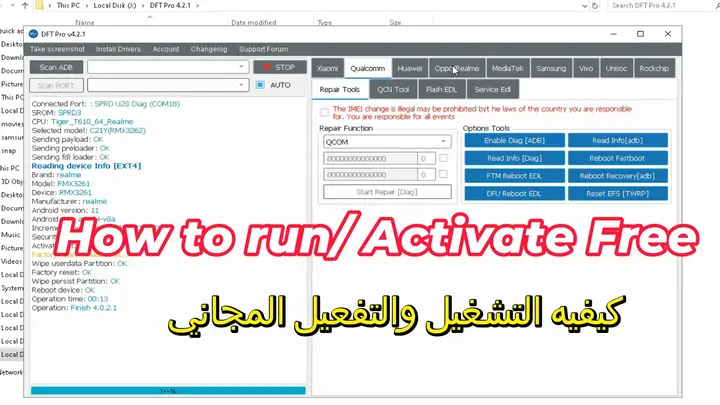
Step 1: Download and Install DFT Pro
- Open the folder containing
DFTPRO_v4.2.1.exe. - Disable AntiVirus Double-click the installer to start the installation.
- Select your preferred language and click OK.
- Choose the installation folder (default:
C:\DFTPRO). - Click Next and complete the installation.
Step 2: Copy and Replace Loader Files
- Locate the following files in the loader folder:
DFTpro.datMy_dll.dllmy_loaderversion.dll
- Copy these files.
- Navigate to
C:\DFTPROand paste the copied files, replacing the existing ones.
Step 3: Activate DFT Pro Using the Keygen
- Open the DFT Pro folder.
- Run
KEYGEN old DFT pro. - If you see a Machine ID error, copy the Machine ID.
- Enter your name and paste the Machine ID.
- Click Generate to create a new
DFTpro.datfile. - Place the new file in the installation directory (
C:\DFTPRO).
Step 4: Run DFT Pro Loader
- Open
my_loader.exein theC:\DFTPROfolder. - Enter any email (e.g.,
mxegytech@yahoo.com). - Enter any password and click Login.
- The software should now be unlocked and fully functional.
❗ Important Notes
- If the software does not start, try running
my_loader.exeagain. - Do not delete or move critical files like
DFTpro.datandmy_loader. - The loader will bypass any license expiration message.
- Be cautious when using cracked software as it may pose security risks.
انقر فوق السهم لإظهار الترجمة باللغة العربيه
DFT Pro Tool V4.2.1 مع الكيجن واللودر [تحميل مجاني]
تحميل DFT Pro Tool 4.2.1 مجانًا – الميزات الكاملة ودليل التثبيت
DFT Pro Tool V4.2.1 هو برنامج قوي لإصلاح الهواتف المحمولة يمكّن المستخدمين من إصلاح وفتح وإعادة ضبط مجموعة متنوعة من الأجهزة بسهولة. تم إصدار هذا الإصدار الأحدث بواسطة مطور مستقل وهو متاح مجانًا بدون الحاجة إلى تسجيل دخول أو حساب.
🔹 ما الجديد في DFT Pro 4.2.1؟
تحسينات Xiaomi Mediatek
- دعم Auth-2024 مع ملفات DA مخصصة.
- تحسينات تلقائية في تصحيح الشهادات.
الأجهزة المدعومة الجديدة
- Redmi 13 (moon)
- Redmi A3 (blue)
- Redmi 13C (gale)
تحديث Unisoc/SPD
- تمت إضافة دعم EROFS.
⭐ الميزات الرئيسية لبرنامج DFT Pro Tool V4.2.1
وظائف خاصة بـ Xiaomi
✅ تفعيل Diag
✅ قراءة المعلومات
✅ إعادة التشغيل
✅ وضع TWRP
✅ مسح EFS || نسخ احتياطي لـ EFS
✅ عمل روت للجهاز || استعادة EFS
✅ إعادة تعيين معرف حساب MI (طريقة جديدة)
✅ إصلاح IMEI
✅ مساعد Mi (مسح EFS، مسح البيانات والتخزين، إلغاء قفل البوتلودر، تخفيض المودم، إعادة تعيين FRP)
ميزات MediaTek (MTK)
✅ قراءة المعلومات || إصلاح Null Baseband
✅ إصلاح IMEI || إعادة ضبط المصنع
✅ إعادة تعيين FRP || النسخ الاحتياطي/استعادة NVRAM
✅ فتح وإعادة قفل البوتلودر (BL) || مسح NVRAM
✅ التبديل إلى وضع Meta || الخروج من وضع Brom
✅ عمل روت للجهاز || قراءة/كتابة/مسح RPMB
✅ تصحيح CERT/vb meta || إزالة التصحيح
وظائف Qualcomm
✅ تفليش EDL
✅ أداة QCN
✅ إعادة تعيين معرف حساب MI
✅ إعادة تعيين FRP عام
أدوات Samsung
✅ إعادة تعيين EFS إلى الوضع الافتراضي
✅ قراءة المعلومات وإعادة التشغيل
✅ إعادة تعيين FRP (وضع التحميل)
✅ تعطيل Knox
✅ إصلاح شبكة العرض التجريبي
ميزات أخرى
✔️ دعم Oppo & Realme
✔️ إعادة تعيين FRP لأجهزة Vivo
✔️ إصلاح Huawei وإصلاح IMEI
✔️ إعادة تعيين FRP لأجهزة SPRD (Spreadtrum)
📥 كيفية تحميل وتثبيت وتفعيل DFT Pro V4.2.1
الخطوة 1: تحميل وتثبيت DFT Pro
- افتح المجلد الذي يحتوي على
DFTPRO_v4.2.1.exe. - اقفل الانتي فيرس و انقر نقرًا مزدوجًا على ملف التثبيت لبدء عملية التثبيت.
- اختر لغتك المفضلة واضغط موافق.
- اختر مجلد التثبيت (المسار الافتراضي:
C:\DFTPRO). - اضغط التالي وأكمل عملية التثبيت.
الخطوة 2: نسخ واستبدال ملفات اللودر
- حدد الملفات التالية في مجلد اللودر:
DFTpro.datMy_dll.dllmy_loaderversion.dll
- انسخ هذه الملفات.
- انتقل إلى
C:\DFTPROوالصق الملفات المستبدلة في المجلد.
الخطوة 3: تفعيل DFT Pro باستخدام الكيجن
- افتح مجلد DFT Pro.
- شغل
KEYGEN old DFT pro. - إذا ظهرت رسالة خطأ تحتوي على Machine ID، انسخ الـ Machine ID.
- أدخل اسمك والصق الـ Machine ID.
- اضغط على Generate لإنشاء ملف
DFTpro.datجديد. - ضع الملف الجديد في مجلد التثبيت (
C:\DFTPRO).
الخطوة 4: تشغيل لودر DFT Pro
- افتح
my_loader.exeفي مجلدC:\DFTPRO. - أدخل أي بريد إلكتروني (مثال:
mxegytech@yahoo.com). - أدخل أي كلمة مرور واضغط تسجيل الدخول.
- الآن، سيتم فتح البرنامج وإلغاء القفل بالكامل.
❗ ملاحظات هامة
اللودر سيتجاوز أي رسالة انتهاء صلاحية الترخيص.
إذا لم يبدأ البرنامج، جرب تشغيل my_loader.exe مرة أخرى.
لا تحذف أو تنقل الملفات الهامة مثل DFTpro.dat وmy_loader.
احذر عند استخدام البرامج المكركة لأنها قد تشكل مخاطر أمنية.
Download DFT Pro Tool V4.2.1 Free
Read also Tera Tool v1.0.2.7 With Keygen and Loader – Free Download 2025
Go to the Download Page
للذهاب لصفحة التحميل
يمكنك من خلال الضغط علي الزر التالي الذهاب لصفحة فحص وتحضير الروابط.
You can go to the link preparation and check page by pressing the button below.

PASS/كلمه السر :mxegy frp
⚡ تنبيه قانوني | Legal Notice:
This tutorial is intended for educational purposes only. We do not endorse or support any illegal activities. Therefore, always ensure that you have the legal right to unlock and modify your device before proceeding with any FRP bypass or account unlocking methods.
هذا الدرس لأغراض تعليمية فقط. نحن لا نؤيد أو ندعم أي أنشطة غير قانونية. تأكد دائمًا من أنك تملك الحق القانوني في فتح وتعديل جهازك قبل المتابعة في أي طرق لتخطي حساب جوجل أو فتح الحسابات.
📝 Disclaimer for Flagged Tools:
This tool has been tested using Kaspersky Antivirus. While it may be flagged as a potential threat, this is likely a false positive due to its functionality. We ensure that the tool is widely used and safe based on user feedback and testing. However, we recommend using it at your own discretion and scanning with your preferred security software for extra assurance.
للمزيد من المعلومات وحل المشكلات الأخرى، يمكنك زيارة موقعنا الرسمي
Your support truly means the world to me! Whether it’s by sharing, subscribing, watching ads, or contributing in any way, every little bit plays a crucial role in helping me create more content. Without your support, this journey wouldn’t be possible. So, I want to take a moment to express my sincere thanks for being a part of this exciting adventure! Together, we can continue to grow and achieve even more. ❤️

Top Free Mobile Repair Tools & Mobile Repair Guides 2025
Discover More Free Mobile Repair Tools of 2025, which include a range of advanced technical solutions, Mobile Repair Guides. These tools offer the ability to unlock phones,bypass Google account verification, fix IMEI and serial numbers, as well as repair network issues and revive dead boot devices. Whether you’re looking to fix your personal device or need professional tools to assist with mobile repairs, you’ll find a collection of free tools perfect for all of this and more. Read more about each tool to get detailed instructions on how to use them properly. These tools cater to the needs of all users, whether beginners or professionals, and support most brands like Samsung, Huawei, Xiaomi, Oppo, and others.


Comments
Post a Comment