Samsung A05 FRP Bypass Android 14 Free & Easy Method
Samsung A05 FRP Bypass – Safe & Easy Method (2025) | Android 14/13 Unlock
Introduction
If you’re looking for a quick and reliable way to Samsung A05 FRP Bypass (Factory Reset Protection) on your Samsung A05 (SM-A055F/M) running Android 14 or 13, you’re in the right place. In this guide, we’ll walk you through a 100% working and free method—without using test points, opening the back cover, or paid tools.
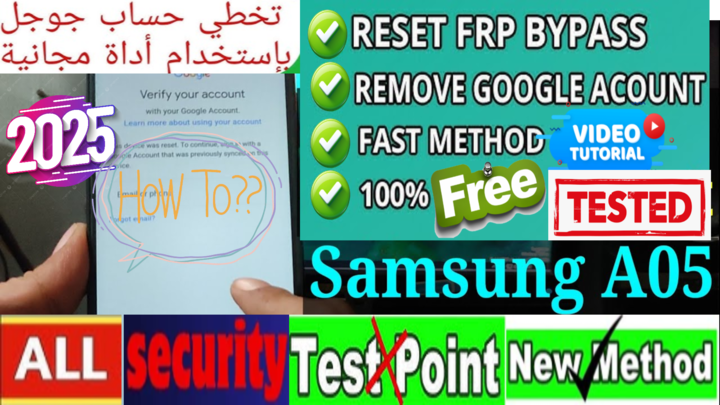
What is FRP (Factory Reset Protection)?
Factory Reset Protection (FRP) is a Google security feature designed to prevent unauthorized access after a factory reset. However, if you reset your Samsung A05 without removing the linked Google account, you’ll get locked out. Fortunately, there are proven solutions to bypass FRP easily and safely.
Samsung A05 FRP Bypass – Tested & Safe (2025)
✅ Key Features of This FRP Bypass Method:
- No test points required – No need to open the device.
- 100% Free & Safe – No paid tools or premium services needed.
- Works on all security patches – Supports Android 14, 13, and all latest updates.
- Step-by-step guide – Clear and beginner-friendly instructions.
🔧 Method: Samsung A05 FRP Bypass Using SP Flash Tool
How to Samsung A05 FRP Bypass Using SP Flash Tool For users with a PC, this method provides a guaranteed way to remove FRP
First
download and install SP Flash Tool on your computer.
Then
get the Samsung A05 FRP file (available on your website).
Next
connect your device in Brom Mode (watch the video for instructions), use the FRP address, then start the FRP process.
Finally, restart your phone, and the FRP lock will be removed successfully!
Finally
restart your phone, and the FRP lock will be removed successfully!
Frequently Asked Questions (FAQs)
🔹 Does this method work on all Samsung A05 models?
Yes! It works on Samsung A05 SM-A055F/M running Android 14, 13, or 12.
🔹 Is this FRP bypass method safe?
Absolutely! We use official tools and tested techniques to ensure safety.
🔹 Can I use this method for other Samsung devices?
Yes, similar methods work on other MTK-based Samsung models. However, you may need an FRP file specific to your device.
Q5: Cant BOOT With Buttons?
try use test point
Conclusion
Bypassing FRP on Samsung A05 (Android 14/13) is now easier than ever. Whether you choose the PC method (SP Flash Tool) or an alternative non-PC method (TalkBack trick), this guide has you covered. Simply follow the steps carefully, and your device will be unlocked in no time.
🚀 Need more help? Download the necessary FRP files and tools from MxEgyTech for a smooth unlocking process!
📢 Stay Updated!
🔔 Subscribe to our YouTube Channel: MxEgy-Tech
🌍 Visit our website for more tutorials: MxEgyTech Official
📱 Follow us on social media:
- Twitter: @MatrixEgyFRP
- Instagram: @matrix_egy
- Facebook: MatrixEgyTech
✅ If this guide helped you, share it with others! 🚀
انقر فوق السهم لإظهار الترجمة باللغة العربيه
تخطي FRP لهاتف Samsung A05 – طريقة آمنة وسهلة (2025) | فتح Android 14/13
مقدمة
إذا كنت تبحث عن طريقة سريعة وموثوقة لتخطي حماية FRP (حماية إعادة ضبط المصنع) على هاتف Samsung A05 (SM-A055F/M) الذي يعمل بنظام Android 14 أو 13، فأنت في المكان الصحيح. في هذا الدليل، سنوضح لك طريقة مجانية وفعالة بنسبة 100% دون الحاجة إلى استخدام نقاط الاختبار أو فتح الغطاء الخلفي أو استخدام أدوات مدفوعة.
ما هي حماية FRP (حماية إعادة ضبط المصنع)؟
حماية FRP هي ميزة أمان من Google مصممة لمنع الوصول غير المصرح به إلى الهاتف بعد إجراء إعادة ضبط المصنع. ولكن إذا قمت بإعادة ضبط هاتف Samsung A05 دون إزالة حساب Google المرتبط، فسيتم قفل الجهاز. لحسن الحظ، هناك حلول مثبتة لتخطي FRP بسهولة وأمان.
تخطي FRP لهاتف Samsung A05 – طريقة مجربة وآمنة (2025)
✅ مميزات هذه الطريقة لتخطي FRP:
✔️ لا حاجة لاستخدام نقاط الاختبار – لا داعي لفتح الجهاز.
✔️ مجاني تمامًا وآمن – لا حاجة لأدوات مدفوعة أو خدمات متميزة.
✔️ يعمل على جميع التحديثات الأمنية – يدعم Android 14، 13 وجميع التحديثات الأخيرة.
✔️ شرح خطوة بخطوة – تعليمات واضحة وسهلة للمبتدئين.
🔧 الطريقة 1: تخطي FRP لهاتف Samsung A05 باستخدام أداة SP Flash Tool
إذا كان لديك جهاز كمبيوتر، فهذه الطريقة توفر لك حلاً مضمونًا لإزالة FRP:
1️⃣ قم بتحميل وتثبيت أداة SP Flash Tool على الكمبيوتر.
2️⃣ قم بتنزيل ملف FRP الخاص بهاتف Samsung A05 (متوفر على موقعك).
3️⃣ قم بتوصيل جهازك في وضع Brom Mode (شاهد الفيديو للتعليمات)، ثم استخدم عنوان FRP وابدأ عملية التخطي.
4️⃣ أعد تشغيل الهاتف، وستتم إزالة قفل FRP بنجاح!
❓ الأسئلة الشائعة (FAQs)
🔹 هل تعمل هذه الطريقة على جميع طرازات Samsung A05؟
نعم! هذه الطريقة تدعم Samsung A05 SM-A055F/M بنظام Android 14، 13، 12.
🔹 هل طريقة تخطي FRP هذه آمنة؟
بالتأكيد! نحن نستخدم أدوات رسمية وتقنيات مجربة لضمان الأمان.
🔹 هل يمكنني استخدام هذه الطريقة على هواتف Samsung الأخرى؟
نعم، تعمل طرق مشابهة على هواتف Samsung الأخرى التي تعمل بمعالج MTK، لكنك قد تحتاج إلى ملف FRP مخصص لجهازك.
🔚 الخاتمة
أصبح تخطي FRP على هاتف Samsung A05 (Android 14/13) أسهل من أي وقت مضى. سواء كنت تفضل طريقة الكمبيوتر (SP Flash Tool) أو طريقة بدون كمبيوتر (TalkBack Trick)، فإن هذا الدليل سيساعدك في تخطي القفل بسهولة. فقط اتبع الخطوات بعناية، وسيتم إلغاء قفل جهازك بسرعة.
🚀 هل تحتاج إلى المزيد من المساعدة؟ قم بتحميل ملفات FRP والأدوات اللازمة من MxEgyTech للحصول على عملية فتح سلسة!
📢 ابقَ على اطلاع!
🔔 اشترك في قناتنا على يوتيوب: MxEgy-Tech
🌍 قم بزيارة موقعنا لمزيد من الشروحات: MxEgyTech Official
📱 تابعنا على وسائل التواصل الاجتماعي:
- تويتر: @MatrixEgyFRP
- إنستجرام: @matrix_egy
- فيسبوك: MatrixEgyTech
✅ إذا كان هذا الدليل مفيدًا لك، فلا تنس مشاركته مع الآخرين! 🚀
🔻 قم بتحميل ملف Samsung A05 FRP Bypass من هنا 🔻
Download Samsung A05 FRP Bypass File
Go to the Download Page
للذهاب لصفحة التحميل
يمكنك من خلال الضغط علي الزر التالي الذهاب لصفحة فحص وتحضير الروابط.
You can go to the link preparation and check page by pressing the button below.

PASS/كلمه السر :mxegy frp
⚡ تنبيه قانوني | Legal Notice:
This tutorial is intended for educational purposes only. We do not endorse or support any illegal activities. Therefore, always ensure that you have the legal right to unlock and modify your device before proceeding with any FRP bypass or account unlocking methods.
هذا الدرس لأغراض تعليمية فقط. نحن لا نؤيد أو ندعم أي أنشطة غير قانونية. تأكد دائمًا من أنك تملك الحق القانوني في فتح وتعديل جهازك قبل المتابعة في أي طرق لتخطي حساب جوجل أو فتح الحسابات.
للمزيد من المعلومات وحل المشكلات الأخرى، يمكنك زيارة موقعنا الرسمي
Your support truly means the world to me! Whether it’s by sharing, subscribing, watching ads, or contributing in any way, every little bit plays a crucial role in helping me create more content. Without your support, this journey wouldn’t be possible. So, I want to take a moment to express my sincere thanks for being a part of this exciting adventure! Together, we can continue to grow and achieve even more. ❤️

Top Free Mobile Repair Tools & Mobile Repair Guides 2025
Discover More Free Mobile Repair Tools of 2025, which include a range of advanced technical solutions, Mobile Repair Guides. These tools offer the ability to unlock phones,bypass Google account verification, fix IMEI and serial numbers, as well as repair network issues and revive dead boot devices. Whether you’re looking to fix your personal device or need professional tools to assist with mobile repairs, you’ll find a collection of free tools perfect for all of this and more. Read more about each tool to get detailed instructions on how to use them properly. These tools cater to the needs of all users, whether beginners or professionals, and support most brands like Samsung, Huawei, Xiaomi, Oppo, and others.


Comments
Post a Comment