Samsung A04 FRP Bypass - SM-A045F Unlock Free & Safe 2025
Samsung A04 FRP Bypass Android 14/13/12 – SM-A045F FRP Unlock Free & Safe (2025)
Introduction
If you are looking for a safe and free method to Samsung A04 FRP Bypass SM-A045F Unlock running Android 14, 13, or 12, you are in the right place. In this guide, we will show you step-by-step how to remove Google account (FRP Lock) from your Samsung A04 device using secure and tested methods.
What is FRP (Factory Reset Protection)?
FRP is a security feature introduced by Google to protect users’ data in case of unauthorized access. Once a device is reset, it requires the previous Google account credentials to be entered before proceeding with the setup. If you have forgotten your credentials, you will need a method to bypass FRP and regain access to your device.
Samsung A04 FRP Bypass Android 14 – Supported Versions & Methods
This guide supports all binary versions (U1~U8) Last Security and multiple methods for FRP SM-A045F Unlock:
✅ FRP Bypass with SP Flash Tool (Quick Method)
✅ FRP File Method (Free Download)
✅ This method works on Android 12, 13, and 14.
✅ Unlocking via Safe Tools (Tested & Secure)
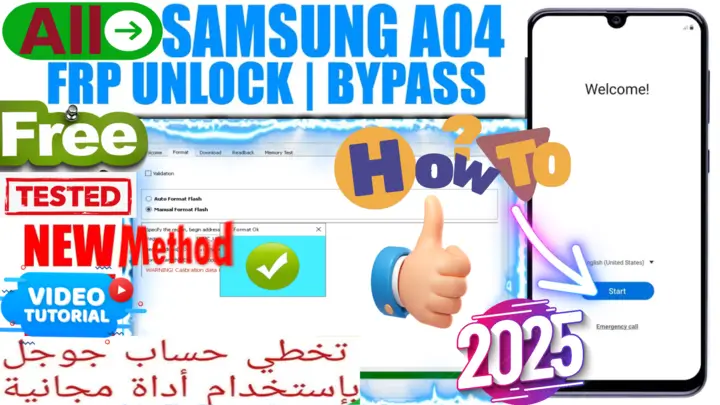
How To Samsung A04 FRP Bypass Android 14 Using SP Flash Tool (PC Method) 2025
How To Samsung A04 FRP Bypass Android 14 Using SP Flash Tool (PC Method) 2025
Download the required files: [FRP File & SP Flash Tool] .
Install MTK USB Drivers on your PC.
Open SP Flash Tool and load the Scatter File for Samsung A04.
Select “Format” and choose FRP Partition.
Click “Start” and connect your device in Brom Mode.
The tool will remove FRP within seconds.
watch full video.
✅ This method is 100% safe and tested.
You can go to the link preparation and check page by pressing the button below.

Download Samsung A04 FRP Bypass Android 14 Unlock Files & Tools
🔗 Android Utility PRO (AUP) <Best Auth Bypass> ➤ [Download Link]
🔗 MTK USB Drivers + SP Flash Tool +Samsung A04 FRP Bypass Android 14 FRP Bypass File +alternative Auth Bypass ➤ [Download Link]
💡 Note: Always use official and trusted sources for downloading files to ensure your device’s safety.
PASS/كلمه السر :mxegy frp
Video Guide – Step-by-Step Samsung A04 FRP Bypass Android 14
🎥 Watch the full video tutorial here: [YouTube Video Link]
FAQs About Samsung A04 FRP Unlock
Q1: Is it legal to bypass FRP on Samsung A04?
Yes, as long as you are the rightful owner of the device and have forgotten your Google account credentials, bypassing FRP is allowed.
Q2: Does this method work on all Samsung A04 models?
Yes, this guide supports Samsung A04 (SM-A045F) on Android 12, 13, and 14.
Q3: Can I bypass FRP without a PC?
NO, Due to New Security you can bypass FRP using a computer.
Q4: What if my device is stuck after bypassing FRP?
You can try a hard reset or flash the stock firmware using Odin Tool. if stuck in boot press power and Volume up/Down Together for 8 Seconds For Exit Brom Mode.
Q5: Cant BOOT With Buttons?
try use test point
Final Thoughts
Bypassing Samsung A04 FRP on Android 14/13/12 is easy if you follow the correct steps. Always make sure to use safe and tested methods to avoid any issues with your device. If you found this guide helpful, don’t forget to check out our YouTube video tutorial and share your experience in the comments.
💬 Need help? Drop a comment below or visit our official website: [https://mxegytech.com/]
📌 Follow us for more FRP guides & updates! 🚀
#frpbypass #frp #guide #samsungfrp #FRPBypass2025 #GoogleAccountBypass #SamsungUnlockTool #SamsungBypass #frpunlock #MxEgyTech #MatrixEgy #MxEgy #SamsungA04 #Android14 #A04FRP
انقر فوق السهم لإظهار الترجمة باللغة العربيه
ما هو FRP (حماية إعادة ضبط المصنع)؟
FRP هو ميزة أمان مقدمة من جوجل لحماية بيانات المستخدمين من الوصول غير المصرح به. عند إعادة ضبط الجهاز، يتطلب إدخال بيانات حساب جوجل السابق قبل إتمام الإعداد. إذا نسيت بيانات تسجيل الدخول، فستحتاج إلى طريقة لتخطي FRP واستعادة الوصول إلى جهازك.
تخطي FRP لهاتف Samsung A04 – الإصدارات المدعومة والطرق المستخدمة
يدعم هذا الدليل جميع الإصدارات الثنائية (U1~U8) وآخر تحديث أمني، مع العديد من طرق فتح FRP:
✅ تخطي FRP باستخدام أداة SP Flash Tool (طريقة سريعة)
✅ طريقة ملف FRP (تحميل مجاني)
✅ تعمل هذه الطريقة على أندرويد 12، 13، و14.
✅ الفتح باستخدام أدوات آمنة (مُجرَّبة وآمنة)
الطريقة 2: تخطي FRP لهاتف Samsung A04 باستخدام SP Flash Tool (طريقة الكمبيوتر)
- قم بتحميل الملفات المطلوبة: [ملف FRP & أداة SP Flash Tool].
- قم بتثبيت تعريفات MTK USB على جهاز الكمبيوتر.
- افتح أداة SP Flash Tool وحمّل ملف Scatter الخاص بجهاز Samsung A04.
- حدد “Format” واختر قسم FRP.
- اضغط على “Start” وقم بتوصيل جهازك في وضع Brom Mode.
- ستقوم الأداة بإزالة FRP خلال ثوانٍ.
📌 شاهد الفيديو الكامل لمزيد من التفاصيل
✅ هذه الطريقة آمنة 100% ومُجرَّبة.
تحميل ملفات وأدوات فتح FRP لهاتف Samsung A04
🔗 Android Utility PRO (AUP)
🔗 تعريفات MTK USB + أداة SP Flash Tool + ملف FRP +
💡 ملاحظة: تأكد دائمًا من استخدام مصادر رسمية وموثوقة عند تحميل الملفات لضمان أمان جهازك.
فيديو توضيحي – تخطي FRP لهاتف Samsung A04 خطوة بخطوة
🎥 شاهد الشرح الكامل عبر الفيديو: [رابط الفيديو على يوتيوب]
الأسئلة الشائعة حول فتح FRP لهاتف Samsung A04
❓ هل من القانوني تخطي FRP على Samsung A04؟
✅ نعم، طالما أنك المالك الشرعي للجهاز ونسيت بيانات حساب جوجل، فإن تخطي FRP مسموح به.
❓ هل تعمل هذه الطريقة على جميع موديلات Samsung A04؟
✅ نعم، هذا الدليل يدعم Samsung A04 (SM-A045F) على أندرويد 12، 13، و14.
❓ هل يمكنني تخطي FRP بدون جهاز كمبيوتر؟
✅ لا، الطريقة تتيح لك تخطي FRP باستخدام الكمبيوتر.
❓ ماذا أفعل إذا توقف جهازي بعد تخطي FRP؟
✅ يمكنك محاولة إعادة ضبط المصنع أو تفليش الروم الرسمي باستخدام أداة Odin اما اذا كان اثناء عمليه البوت تستطيع الخروج من وضع البروم بالضغط علي ازرار رفع وخفض الصوت والباور لمده 10 ثواني.
الخاتمة
يعد تخطي FRP لهاتف Samsung A04 على أندرويد 14/13/12 أمرًا سهلاً إذا اتبعت الخطوات الصحيحة. احرص دائمًا على استخدام طرق آمنة ومُجربة لتجنب أي مشاكل في جهازك. إذا وجدت هذا الدليل مفيدًا، لا تنس مشاهدة الفيديو التعليمي على يوتيوب ومشاركة تجربتك في التعليقات.
💬 بحاجة إلى مساعدة؟ اترك تعليقًا أدناه أو قم بزيارة موقعنا الرسمي: [https://mxegytech.com/]
⚡ تنبيه قانوني | Legal Notice:
This tutorial is intended for educational purposes only. We do not endorse or support any illegal activities. Therefore, always ensure that you have the legal right to unlock and modify your device before proceeding with any FRP bypass or account unlocking methods.
هذا الدرس لأغراض تعليمية فقط. نحن لا نؤيد أو ندعم أي أنشطة غير قانونية. تأكد دائمًا من أنك تملك الحق القانوني في فتح وتعديل جهازك قبل المتابعة في أي طرق لتخطي حساب جوجل أو فتح الحسابات.
للمزيد من المعلومات وحل المشكلات الأخرى، يمكنك زيارة موقعنا الرسمي
Your support truly means the world to me! Whether it’s by sharing, subscribing, watching ads, or contributing in any way, every little bit plays a crucial role in helping me create more content. Without your support, this journey wouldn’t be possible. So, I want to take a moment to express my sincere thanks for being a part of this exciting adventure! Together, we can continue to grow and achieve even more. ❤️

Top Free Mobile Repair Tools & Mobile Repair Guides 2025
Discover More Free Mobile Repair Tools of 2025, which include a range of advanced technical solutions, Mobile Repair Guides. These tools offer the ability to unlock phones,bypass Google account verification, fix IMEI and serial numbers, as well as repair network issues and revive dead boot devices. Whether you’re looking to fix your personal device or need professional tools to assist with mobile repairs, you’ll find a collection of free tools perfect for all of this and more. Read more about each tool to get detailed instructions on how to use them properly. These tools cater to the needs of all users, whether beginners or professionals, and support most brands like Samsung, Huawei, Xiaomi, Oppo, and others.


Comments
Post a Comment