How to Bypass FRP & Factory Reset VIVO Y11 | Free Tool 2025
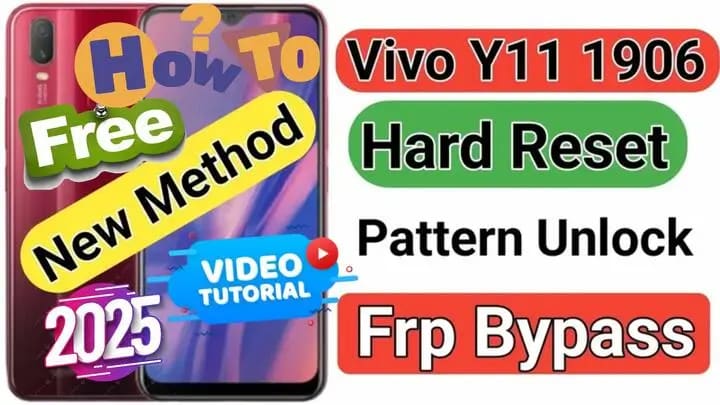
How to Bypass FRP & Factory Reset VIVO Y11 1906 (VIVO Y11 2019) Using QC Unlock Tool
Introduction 📢
If you’re struggling with bypassing the Google Account (FRP) or performing a factory reset on the VIVO Y11 (2019) – 1906, don’t worry! In this guide, we will walk you through a free and simple solution using the QC Unlock Tool. This tool allows you to bypass the FRP lock and restore your phone to its original state quickly. So, keep reading to learn how to use this tool step by step and resolve all issues related to your device.
What is QC Unlock Tool?
QC Unlock Tool is a specialized program designed to bypass FRP and perform factory resets on Vivo, Samsung, and Oppo devices running Qualcomm processors. More importantly, this tool helps in:
✅ Bypassing Google Account (FRP) after a factory reset.
✅ Performing a factory reset in case you forgot the lock screen password.
✅ Fixing Dead Boot issues for phones that stopped working due to an update or flashing failure.
✅ Unlocking accounts without the need to flash the device.
How to Use QC Unlock Tool to Bypass FRP on VIVO Y11 2019
Requirements:
✔ A Windows PC.
✔ An original USB cable to connect the phone.
✔ Download QC Unlock Tool from our official website.
✔ Install Qualcomm USB Drivers to ensure the phone is detected properly.
Steps to Follow:
1️⃣ Connect your phone to the computer in EDL (Emergency Download Mode):
- First, power off the phone completely.
- Then, use the test point method and connect the phone via USB.
- After that, wait until the device is recognized in “Device Manager” under “Qualcomm HS-USB QDLoader 9008.”
2️⃣ Run QC Unlock Tool as Administrator.
3️⃣ Perform Factory Reset and Bypass Google Account:
- Follow the step-by-step video tutorial above.
Additional Solutions for VIVO Y11 1906 Issues
Besides bypassing FRP, this tool can also help you resolve other common issues.
🔹 Fixing Dead Boot: If your phone is stuck on a black screen, use the “Flash Firmware” option to install a new stock ROM.
🔹 Removing Google or Account Locks: The “Remove Account Lock” feature allows you to reset the account lock screen without flashing firmware.
🔹 Unlocking Screen Lock: If you’ve forgotten your lock code, this tool can wipe device data and restore access without requiring the previous account.
Tips & Warnings
⚠ Always ensure you are using a compatible version of QC Unlock Tool to avoid issues during the process.
⚠ Before proceeding, it’s best to back up your data, as a factory reset will erase all files from your phone.
⚠ Finally, remember that this method is for users who have legal access to the device and should not be used for unauthorized purposes.
Conclusion
With QC Unlock Tool, you can now easily bypass FRP, perform a factory reset, and fix your VIVO Y11 effortlessly. If you found this article helpful, don’t forget to share it with others. Also, leave a comment below with your experience! 📱🚀
انقر فوق السهم لإظهار الترجمة باللغة العربيه
كيفية تخطي FRP وإعادة ضبط المصنع لهاتف VIVO Y11 باستخدام QC Unlock Tool
مقدمة
إذا كنت تواجه مشكلة تخطي حساب جوجل (FRP) أو إعادة ضبط المصنع لهاتف VIVO Y11 (2019) – 1906، فلا داعي للقلق! في هذا الدليل، سنقدم لك الحل المجاني باستخدام أداة QC Unlock Tool، التي تتيح لك تجاوز قفل FRP بسهولة واستعادة هاتفك إلى حالته الأصلية. تابع القراءة لمعرفة كيفية استخدام الأداة خطوة بخطوة وحل جميع المشاكل المتعلقة بجهازك.
ما هي QC Unlock Tool؟
QC Unlock Tool هي أداة متخصصة في تخطي FRP وإعادة ضبط المصنع لهواتف Vivo، Samsung، و Oppo التي تعمل بمعالجات Qualcomm. تساعد هذه الأداة في:
- تخطي حساب جوجل (FRP Bypass) بعد إعادة ضبط المصنع.
- إعادة ضبط المصنع Factory Reset في حالة نسيان رمز القفل.
- إصلاح Boot Dead للهواتف التي لا تعمل بسبب فشل التحديث أو التفليش.
- فك قفل الحسابات Account Unlock دون الحاجة إلى فلاش الهاتف.
كيفية استخدام QC Unlock Tool لتخطي FRP على VIVO Y11 1906
المتطلبات:
✔ جهاز كمبيوتر يعمل بنظام Windows. ✔ كابل USB أصلي لتوصيل الهاتف. ✔ تحميل QC Unlock Tool من الموقع الرسمي لدينا. ✔ تثبيت تعريفات Qualcomm USB Drivers لضمان التعرف على الهاتف.
الخطوات:
- قم بتوصيل الهاتف بالكمبيوتر في وضع EDL (Emergency Download Mode):
- قم بإيقاف تشغيل الهاتف تمامًا.
- والتسيت بوينت، ثم قم بتوصيله بالكمبيوتر عبر USB.
- انتظر حتى يتم التعرف على الهاتف في “Device Manager” تحت “Qualcomm HS-USB QDLoader 9008”.
- قم بتشغيل QC Unlock Tool كمسؤول (Run as Administrator).
- إعادة ضبط المصنغ وتخطي حساب جوجل :
- اتبع ارشادات الفيديو بالاعلي خطوه بخطوه
حلول إضافية لمشاكل VIVO Y11 1906
🔹 إصلاح Dead Boot: يمكنك استخدام نفس الأداة مع خيار “Flash Firmware” لتثبيت روم رسمي جديد. 🔹 إزالة هواتف أو حسابات Google: قم باستخدام ميزة “Remove Account Lock” داخل QC Unlock Tool. 🔹 إلغاء قفل شاشة الهاتف: إذا كنت نسيت رمز القفل، يمكن للأداة حذف بيانات الجهاز دون الحاجة إلى إدخال الحساب السابق.
نصائح وتحذيرات
⚠ تأكد دائمًا من استخدام إصدار متوافق من QC Unlock Tool لضمان عدم حدوث مشاكل أثناء العملية. ⚠ يفضل أخذ نسخة احتياطية من بياناتك لأن إعادة ضبط المصنع ستحذف جميع الملفات من الهاتف. ⚠ هذه الطريقة مخصصة للمستخدمين الذين يملكون حق الوصول إلى الهاتف، ولا يجب استخدامها لأغراض غير قانونية.
خاتمة
بفضل QC Unlock Tool، يمكنك الآن تخطي FRP، إعادة ضبط المصنع، وإصلاح هاتف VIVO Y11 بكل سهولة. إذا وجدت هذه المقالة مفيدة، لا تنس مشاركتها مع الآخرين وترك تعليق بتجربتك! 📱🚀
يمكنك تنزيل الادوات من الرابط التالي:
Go to the Download Page
للذهاب لصفحة التحميل
يمكنك من خلال الضغط علي الزر التالي الذهاب لصفحة فحص وتحضير الروابط.
You can go to the link preparation and check page by pressing the button below.

PASS/كلمه السر :mxegy frp
⚡ تنبيه قانوني | Legal Notice:
This tutorial is intended for educational purposes only. We do not endorse or support any illegal activities. Therefore, always ensure that you have the legal right to unlock and modify your device before proceeding with any FRP bypass or account unlocking methods.
هذا الدرس لأغراض تعليمية فقط. نحن لا نؤيد أو ندعم أي أنشطة غير قانونية. تأكد دائمًا من أنك تملك الحق القانوني في فتح وتعديل جهازك قبل المتابعة في أي طرق لتخطي حساب جوجل أو فتح الحسابات.
للمزيد من المعلومات وحل المشكلات الأخرى، يمكنك زيارة موقعنا الرسمي
Your support truly means the world to me! Whether it’s by sharing, subscribing, watching ads, or contributing in any way, every little bit plays a crucial role in helping me create more content. Without your support, this journey wouldn’t be possible. So, I want to take a moment to express my sincere thanks for being a part of this exciting adventure! Together, we can continue to grow and achieve even more. ❤️

Top Free Mobile Repair Tools & Mobile Repair Guides 2025
Discover More Free Mobile Repair Tools of 2025, which include a range of advanced technical solutions, Mobile Repair Guides. These tools offer the ability to unlock phones,bypass Google account verification, fix IMEI and serial numbers, as well as repair network issues and revive dead boot devices. Whether you’re looking to fix your personal device or need professional tools to assist with mobile repairs, you’ll find a collection of free tools perfect for all of this and more. Read more about each tool to get detailed instructions on how to use them properly. These tools cater to the needs of all users, whether beginners or professionals, and support most brands like Samsung, Huawei, Xiaomi, Oppo, and others.
Table of Contents
#VIVO_Y11 #تخطي_حساب_جوجل #إعادة_ضبط_مصنع #FRP_بـايس #إصلاح_boot_dead #OneClickTool #إزالة_حساب_iCloud #فك_قفل_الحسابات #إصلاح_الهاتف #حلول_FRP #تقنيات_الموبايل #VIVO_Y11 #Google_Account_Bypass #Hard_Reset_VIVO #FRP_Bypass #Dead_Boot_Fix #OneClickTool #Account_Lock_Unlock #Phone_Repair #FRP_Solutions #Mobile_Tech #MxEgyTech


Comments
Post a Comment