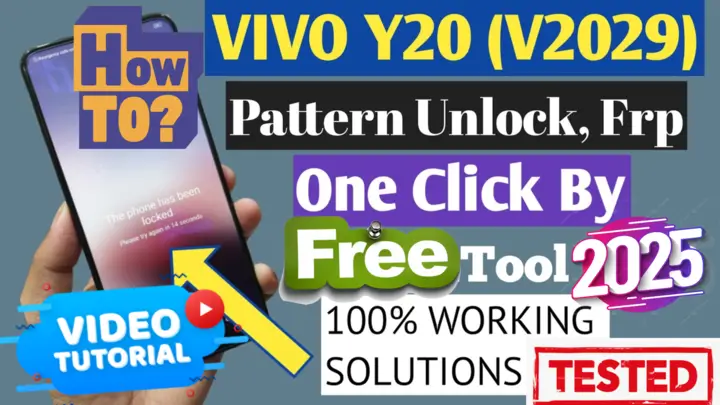
Vivo Y20 / Y20i / Y20s V2029 - Factory Reset, FRP Bypass Free Tool 2025
Vivo Y20 / Y20i / Y20s V2029 – Factory Reset, FRP Bypass & Full Repair Using QC Unlock Tool
Introduction 📢
If you’re facing an FRP lock issue (Factory Reset Protection) or want to perform a full reset on your Vivo Y20 / Y20i / Y20s V2029, you’re in the right place! In this guide, we will step-by-step explain how to bypass Google account verification, flash the device, and fix dead boot issues using the QC Unlock Tool – the best free one-click solution of 2025. ✅
What is QC Unlock Tool? 🛠️
QC Unlock Tool is a powerful software designed for Qualcomm-powered devices. It provides several essential features, including:
- FRP bypass (removing Google account lock) after a reset.
- Factory reset for troubleshooting and optimization.
- Flashing stock ROM to restore or update firmware.
- Dead boot repair for devices that no longer turn on.
Key Features of QC Unlock Tool 🎯
There are several reasons why QC Unlock Tool is a great choice:
✅ Completely free – No subscriptions or purchases required.
✅ Highly compatible – Supports most Vivo, Xiaomi, and OPPO devices.
✅ User-friendly – No advanced technical skills needed.
✅ No additional hardware required – Works without expensive tools.
1️⃣ Download Required Tools 🔽
Before you begin, make sure to download the necessary files:
📌 Download QC Unlock Tool (Latest Version)
📌 Download Qualcomm USB Drivers (To ensure proper device detection)
Frequently Asked Questions (FAQ) ❓
1️⃣ Can I use QC Unlock Tool without a computer?
❌ No, you need a Windows PC to run the tool.
2️⃣ Is the tool safe to use?
✅ Yes, the tool has been tested. However, always download it from a trusted source and use it at your own risk.
3️⃣ What should I do if my PC doesn’t recognize the phone?
If your device is not detected, try the following:
- Ensure Qualcomm USB drivers are installed.
- Use a different USB cable in case the current one is faulty.
- Try another USB port on your computer for better connectivity.
Conclusion 🎯
With QC Unlock Tool, you can now factory reset, bypass FRP, flash firmware, and fix dead boot issues on your Vivo Y20 / Y20i / Y20s V2029 quickly and easily. 💯🔥
If you have any questions or need further assistance, feel free to leave a comment or reach out to us at MxEgyTech 🚀
انقر فوق السهم لإظهار الترجمة باللغة العربيه
Vivo Y20 / Y20i / Y20s V2029 – فورمات، تخطي FRP، تفليش وإصلاح شامل باستخدام QC Unlock Tool
مقدمة 📢
إذا كنت تواجه مشكلة قفل FRP (حماية إعادة ضبط المصنع) أو ترغب في عمل فورمات كامل لهاتف Vivo Y20 / Y20i / Y20s ، فأنت في المكان الصحيح! في هذا الدليل، سنوضح كيفية تجاوز حساب Google، التفليش، وإصلاح الهاتف (Dead Boot) باستخدام أداة QC Unlock Tool – أفضل أداة مجانية بنقرة واحدة لعام 2025. ✅
ما هي QC Unlock Tool؟ 🛠️
QC Unlock Tool هي أداة قوية مصممة لهواتف Qualcomm، وتستخدم في:
- تخطي قفل FRP (حماية Google بعد الفورمات).
- إعادة ضبط المصنع (Factory Reset) بسهولة.
- تفليش الروم الرسمي وإصلاح المشاكل البرمجية.
- إصلاح مشكلة الهاتف لا يعمل (Dead Boot Fix).
مميزات QC Unlock Tool 🎯
✅ مجانية بالكامل – لا تحتاج إلى اشتراك أو شراء. ✅ دعم واسع – تعمل مع معظم هواتف Vivo، Xiaomi، و OPPO. ✅ استخدام بسيط – لا تحتاج إلى خبرة برمجية. ✅ تعمل بدون بوكس – لا تحتاج إلى أدوات مدفوعة إضافية.
1️⃣ تحميل الأدوات المطلوبة 🔽
📌 تحميل QC Unlock Tool:📌 تحميل تعريفات Qualcomm USB
الأسئلة الشائعة (FAQ) ❓
1️⃣ هل يمكن استخدام QC Unlock Tool بدون كمبيوتر؟
❌ لا. تحتاج إلى كمبيوتر Windows لتشغيل الأداة.
2️⃣ هل الأداة آمنة؟
✅ الأداة مجربة ، لكن تأكد من تحميلها من مصدر موثوق واستخدمها علي مسؤليتك الشخصيه.
3️⃣ ماذا أفعل إذا لم يتعرف الكمبيوتر على الهاتف؟
- تأكد من تثبيت تعريفات Qualcomm USB.
- جرب كابل USB آخر.
- استخدم منفذ USB مختلفًا على الكمبيوتر.
خاتمة 🎯
الآن، يمكنك بسهولة إعادة ضبط المصنع، تخطي FRP، تفليش هاتف Vivo Y20 / Y20i / Y20s ، وإصلاح المشاكل البرمجية باستخدام QC Unlock Tool. 💯🔥 إذا واجهت أي مشاكل، لا تتردد في ترك تعليق أو التواصل معنا على موقع MxEgyTech 🚀
📢 شارك المقال مع أصدقائك ليستفيد الجميع! 🙌
يمكنك تنزيل الادوات من الرابط التالي:
Go to the Download Page
للذهاب لصفحة التحميل
يمكنك من خلال الضغط علي الزر التالي الذهاب لصفحة فحص وتحضير الروابط.
You can go to the link preparation and check page by pressing the button below.

PASS/كلمه السر :mxegy frp
⚡ تنبيه قانوني | Legal Notice:
This tutorial is intended for educational purposes only. We do not endorse or support any illegal activities. Therefore, always ensure that you have the legal right to unlock and modify your device before proceeding with any FRP bypass or account unlocking methods.
هذا الدرس لأغراض تعليمية فقط. نحن لا نؤيد أو ندعم أي أنشطة غير قانونية. تأكد دائمًا من أنك تملك الحق القانوني في فتح وتعديل جهازك قبل المتابعة في أي طرق لتخطي حساب جوجل أو فتح الحسابات.
للمزيد من المعلومات وحل المشكلات الأخرى، يمكنك زيارة موقعنا الرسمي
Your support truly means the world to me! Whether it’s by sharing, subscribing, watching ads, or contributing in any way, every little bit plays a crucial role in helping me create more content. Without your support, this journey wouldn’t be possible. So, I want to take a moment to express my sincere thanks for being a part of this exciting adventure! Together, we can continue to grow and achieve even more. ❤️



Top Free Mobile Repair Tools & Mobile Repair Guides 2025
Discover More Free Mobile Repair Tools of 2025, which include a range of advanced technical solutions, Mobile Repair Guides. These tools offer the ability to unlock phones,bypass Google account verification, fix IMEI and serial numbers, as well as repair network issues and revive dead boot devices. Whether you’re looking to fix your personal device or need professional tools to assist with mobile repairs, you’ll find a collection of free tools perfect for all of this and more. read more about each tool to get detailed instructions on how to use them properly. These tools cater to the needs of all users, whether beginners or professionals, and support most brands like Samsung, Huawei, Xiaomi, Oppo, and others.


Comments
Post a Comment