Ultimate Guide: Itel A36 W5505 Dead Boot Repair, Flashing, Unlock, and FRP Bypass
الدليل النهائي: إصلاح Dead Boot لجهاز Itel A36 W5505، التفليش، الفتح، وتخطي FRP
إذا كنت تواجه مشاكل في جهاز Itel A36 W5505، فأنت في المكان الصحيح. هذا الدليل الشامل سيساعدك في إصلاح المشكلات الشائعة مثل Dead Boot، تعطل التطبيقات، قفل FRP، وغيرها. دعنا نبدأ ونحل مشكلات جهاز Itel الخاص بك بشكل فعال!
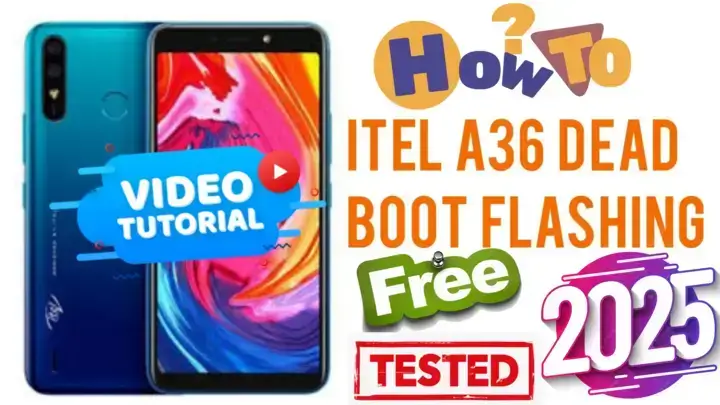
المشاكل الشائعة في Itel A36 W5505
- مشكلة Dead Boot
- قفل FRP (Factory Reset Protection)
- تعطل التطبيقات وأخطاء النظام
- فتح الجهاز
- تفليش السوفتوير لاستعادة النظام
كل من هذه المشكلات يمكن أن تؤثر بشكل كبير على استخدام جهازك، ولكن لا تقلق—لدينا الحل.
دليل خطوة بخطوة لإصلاح Dead Boot
ما هو Dead Boot؟
Dead Boot يحدث عندما لا يعمل جهازك نهائيًا، وغالبًا يكون السبب تلف السوفتوير أو أخطاء برمجية.
الحل:
- قم بتنزيل السوفتوير المناسب لجهاز Itel A36 W5505.
- استخدم أدوات مثل SPD Flash Tool لتفليش السوفتوير.
- قم بتوصيل الجهاز في وضع Download Mode باستخدام كابل USB.
- اتبع التعليمات الموجودة في الفيديو لإكمال عملية التفليش.
ملاحظة: تأكد أن البطارية مشحونة بنسبة لا تقل عن 50%.
كيفية تخطي قفل FRP على Itel A36 W5505
قفل FRP هو ميزة أمان مصممة لمنع الوصول غير المصرح به. إذا كنت مغلقًا خارج جهازك، يمكن لهذه الطريقة حل المشكلة.
تفليش السوفتوير لجهاز Itel A36 W5505
تفليش السوفتوير ضروري لحل مشكلات البرمجيات الكبيرة أو ملفات النظام التالفة.
الخطوات:
- قم بتنزيل السوفتوير الرسمي لجهاز Itel A36 من مصدر موثوق.
- قم بتثبيت SPD Flash Tool على جهاز الكمبيوتر.
- قم بتحميل ملف pac من حزمة السوفتوير.
- شاهد الفيديو التعليمي خطوة بخطوة، وقم بتوصيل الجهاز في وضع Download Mode وابدأ عملية التفليش.
- انتظر حتى تكتمل العملية.
فتح جهاز Itel A36
إذا كان جهازك مقفلًا، يمكنك فتحه باستخدام الطريقه بالفيديو:
تذكير: تأكد من عمل نسخة احتياطية لجميع البيانات المهمة قبل الفتح.
إصلاح تعطل التطبيقات على Itel A36 W5505
هل تواجه تعطلًا مستمرًا للتطبيقات ولا تفلح إعادة ضبط المصنع في الحل؟ شاهد دليلنا بالفيديو لمعرفة الخطوات الصحيحة لحل المشكلة.
الأدوات التي قد تحتاجها
- SPD Flash Tool
- FRP Bypass APK
- تعريفات USB لجهاز Itel A36
- ملف Pac (ضمن حزمة السوفتوير)
الأسئلة الشائعة
س: أين يمكنني تنزيل سوفتوير Itel A36؟
ج: قم بزيارة المواقع الرسمية لـ Itel أو المنتديات الموثوقة، أو حمله من الرابط الخاص بنا بالأسفل.
س: هل يمكنني إصلاح Dead Boot بدون كمبيوتر؟
ج: لا، ستحتاج إلى جهاز كمبيوتر وأدوات تفليش لإصلاح مشكلة Dead Boot.
س: هل تفليش السوفتوير آمن؟
ج: نعم، ولكن فقط إذا استخدمت السوفتوير الصحيح لجهازك.
الخاتمة
مع الخطوات الموضحة في هذا الدليل، يمكنك حل معظم مشكلات جهاز Itel A36 ، بما في ذلك إصلاح Dead Boot، تخطي FRP، الفتح، والمزيد. احرص دائمًا على تنزيل الأدوات والبرامج من مصادر موثوقة لتجنب أي تعقيدات إضافية.
للمزيد من الشروحات والدروس، قم بزيارة MxEgy-Tech أو اشترك في قناتنا على YouTube.
Click the arrow to reveal the translation in English
Ultimate Guide: Itel A36 W5505 Dead Boot Repair, Flashing, Unlock, and FRP Bypass
If you’re facing issues with your Itel A36 W5505, you’re in the right place. This comprehensive guide will help you fix common problems like dead boot, app crashes, hang logo, FRP lock, and more. Let’s dive in and troubleshoot your Itel device effectively!
Common Issues with Itel A36 W5505
- Dead Boot Issue
- Hang Logo & BootLoop
- FRP (Factory Reset Protection) Lock
- App Crashes and System Errors
- Unlocking the Device
- Flashing Firmware for Recovery
Each of these problems can significantly impact the usability of your device, but don’t worry—we’ve got you covered.
Step-by-Step Guide to Fix Dead Boot
What is Dead Boot?
Dead Boot occurs when your device doesn’t power on, often caused by corrupted firmware or software errors.
Solution:
- Download the correct firmware for the Itel A36 W5505.
- Use tools like SPD Flash Tool to flash the firmware.
- Connect the device in Download Mode using a USB cable.
- Follow Video instructions to complete the flashing process.
Note: Ensure your battery is charged at least 50%.
How to Bypass FRP on Itel A36 W5505
Factory Reset Protection (FRP) is a security feature designed to prevent unauthorized access. If you’re locked out of your device this method can solve your problem
Flashing Firmware for Itel A36 W5505
Flashing the firmware is necessary to resolve severe software glitches or corrupted system files.
Steps:
- Download the official firmware for Itel A36 from a reliable source.
- Install SPD Flash Tool on your computer.
- Load the pac file from the firmware package.
- Watch Video Step By Step Connect your device in Download Mode and start the flashing process.
- Wait until the process is complete.
Unlocking the Itel A36 W5505
If your device is locked, you can unlock it using these methods:
Reminder: Ensure you back up all important data before unlocking.
Fixing App Crashes on Itel A36 W5505
Are your apps crashing frequently and factory reset not solve your problem? Here’s how to resolve it watch our guide video :
Tools You May Need
- SPD Flash Tool
- FRP Bypass APK
- USB Drivers for Itel A36
- Pac File (included in the firmware package)
FAQs
Q: Where can I download Itel A36 firmware? A: Visit official Itel websites or trusted forums to download the firmware or from our link below.
Q: Can I repair a dead boot without a computer? A: No, you will need a computer and flashing tools to repair a dead boot issue.
Q: Is it safe to flash firmware? A: Yes, but only if you use the correct firmware for your device model.
Conclusion
With the steps outlined in this guide, you can resolve most issues with your Itel A36 W5505, including dead boot repair, FRP bypass, unlocking, and more. Always ensure you download tools and firmware from trusted sources to avoid further complications.
For more tutorials and guides, visit MxEgy-Tech or subscribe to our YouTube channel.
يمكنك تنزيل الادوات من الرابط التالي:
Go to the Download Page
للذهاب لصفحة التحميل
يمكنك من خلال الضغط علي الزر التالي الذهاب لصفحة فحص وتحضير الروابط.
You can go to the link preparation and check page by pressing the button below.

PASS/كلمه السر :mxegy frp
⚡ تنبيه قانوني | Legal Notice:
This tutorial is for educational purposes only. We do not endorse or support any illegal activities. Always ensure that you have the legal right to unlock and modify your device before proceeding with any FRP bypass or account unlocking methods.
هذا الدرس لأغراض تعليمية فقط. نحن لا نؤيد أو ندعم أي أنشطة غير قانونية. تأكد دائمًا من أنك تملك الحق القانوني في فتح وتعديل جهازك قبل المتابعة في أي طرق لتخطي حساب جوجل أو فتح الحسابات.
للمزيد من المعلومات وحل المشكلات الأخرى، يمكنك زيارة موقعنا الرسمي
Your support means the world to me! Whether it’s by sharing, subscribing, watching ads, or contributing in any way – every little bit helps me create more content. Thank you for being part of this journey! ❤️



Top Free Mobile Repair Tools & Mobile Repair Guides 2025
Discover More Free Mobile Repair Tools of 2025, which include a range of advanced technical solutions, Mobile Repair Guides. These tools offer the ability to unlock phones,bypass Google account verification, fix IMEI and serial numbers, as well as repair network issues and revive dead boot devices. Whether you’re looking to fix your personal device or need professional tools to assist with mobile repairs, you’ll find a collection of free tools perfect for all of this and more. Read more about each tool to get detailed instructions on how to use them properly. These tools cater to the needs of all users, whether beginners or professionals, and support most brands like Samsung, Huawei, Xiaomi, Oppo, and others.


Comments
Post a Comment