Samsung M11 SM-M115F FRP Bypass Free tool All Security Without Test Point
Samsung M11 SM-M115F FRP Bypass Free Google Account Removal Tool | SM-M115F FRP Android 12 U5 U6 Without Test Point 2025
If you’re searching for an effective and simple way to Samsung M1 SM-M115F FRP Bypass (Factory Reset Protection) on Android 12 for free, then you’re in the right place. In this article, we will introduce a free tool that helps you bypass the Google Account (FRP) effortlessly. Moreover, this method is straightforward and doesn’t require any technical expertise. In addition, it’s completely free, meaning you don’t have to worry about any hidden charges. Furthermore, this tool works quickly, allowing you to bypass the FRP lock without the need for complicated procedures or expensive software. As a result, you’ll have your Samsung M11 unlocked in no time, ensuring that you can get back to using your device with minimal hassle.
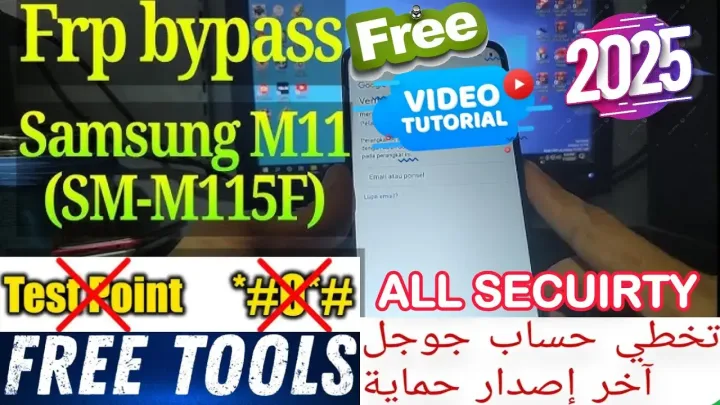
Samsung SM-M115F FRP Bypass Free أداة مجانية لتخطي حساب جوجل | FRP Android 12 U5 U6 بدون فك الجهاز 2025
Android 12، فأنت في المكان الصحيح. في هذا المقال، نقدم لك أداة مجانية مميزة تساعدك على تخطي حساب جوجل (FRP) بسهولة، دون الحاجة إلى استخدام نقاط الاختبار (Test Point). تابع القراءة للتعرف على خطوات التنفيذ، ومتطلبات العملية، والمزيد.
ما هو قفل FRP ولماذا هو مهم؟
قفل FRP، أو حماية إعادة ضبط المصنع (Factory Reset Protection)، هو ميزة أمان متقدمة تقدمها جوجل لضمان حماية بيانات المستخدم في حالة فقدان الجهاز أو سرقته. عند تفعيل القفل، لا يمكن لأي شخص استخدام الجهاز بعد إعادة ضبط المصنع إلا إذا قام بإدخال بيانات حساب جوجل المرتبط.
المتطلبات الأساسية لتخطي قفل FRP
قبل أن نبدأ في شرح الخطوات، تأكد من توفر التالي:
كابل USB أصلي.
جهاز كمبيوتر مثبت عليه أداة تخطي FRP المجانية مع تعريفات الكوالكوم.
شحنة بطارية تزيد عن 50% لتجنب أي انقطاع أثناء العملية.
خطوات تخطي قفل FRP باستخدام الأداة المجانية
الخطوة 1: تحميل الأداة وتسطيب تعريفات الكوالكوم
قم بتنزيل الأداة المجانية والتعريفات من الرابط بالاسفل: [رابط التحميل]. تأكد من تحميل النسخة المحدثة لعام 2025 لضمان التوافق مع Android 12 U5 وU6.
الخطوة 2: تشغيل الأداة
افتح الأداة المثبتة على الكمبيوتر.
اختر طراز الجهاز (SM-M115F) من قائمة الخيارات.
اضغط على زر “Bypass FRP”.
الخطوة3: اتباع الإرشادات بالفيديو بالاعلي
انتظر حتى يتم الانتهاء من العملية.
بمجرد ظهور رسالة “تم تخطي FRP بنجاح”، قم بفصل الجهاز.
أعد تشغيل الجهاز للتأكد من إزالة قفل FRP.
مميزات الأداة
مجانية بالكامل: لا تحتاج إلى شراء تراخيص.
دعم شامل: تعمل مع Android 12 جميع الحمايات.
بدون تيست بوينت: لا حاجة لفتح الجهاز أو استخدام نقاط الاختبار.
واجهة سهلة الاستخدام: تناسب المبتدئين والمحترفين.
نصائح لضمان النجاح
تأكد من تحميل الإصدار الأحدث من الأداة.
لا تقم بفصل الجهاز أثناء العملية.
احتفظ بنسخة احتياطية من بياناتك إذا أمكن.
الختام
تخطي قفل FRP لجهاز Samsung SM-M115F أصبح أسهل مع هذه الأداة المجانية. بفضل دعمها لنظام Android 12 U5 وU6، يمكنك استعادة استخدام جهازك بسهولة وأمان دون الحاجة إلى إجراءات معقدة. جربها الآن وشاركنا تجربتك!
Click the arrow to reveal the translation in English
Samsung M11 SM-M115F FRP Bypass: Free Google Account Removal Tool | FRP Android 12 U5 U6 Without Test Point 2025
If you’re searching for an effective and simple way to bypass Google account on your Samsung SM-M115F running Android 12, you’re in the right place. In this article, we will introduce a free tool that helps you bypass the Google Account (FRP) effortlessly. What’s more, it doesn’t require test points, making it even easier for you to use. Furthermore, we will walk you through the steps involved, the requirements you’ll need, and much more. By following this guide, you’ll be able to unlock your device in no time, without facing any hassle or additional costs. So, keep reading to discover how you can unlock your Samsung device easily and for free.
What is FRP Lock and Why is it Important?
FRP, or Factory Reset Protection, is an advanced security feature provided by Google to protect user data in case of device loss or theft. Specifically, when enabled, no one can use the device after a factory reset without entering the associated Google account credentials. This ensures that even if someone tries to reset and use the device, they won’t be able to access it without the necessary information. Moreover, FRP adds an additional layer of security, making it difficult for unauthorized users to access personal data. As a result, it provides peace of mind to users, knowing that their device is protected against unauthorized access.
Prerequisites for FRP Bypass
Before diving into the steps, ensure you have the following:
- Samsung SM-M115F device running Android 12.
- Original USB cable.
- A PC with the free FRP bypass tool installed and setup QC Driver is Very Important.
- Battery charge of at least 50% to avoid interruptions.
Steps to Bypass FRP Using the Free Tool
1: Download the Tool
Download the free tool from Our link
2: Connect the Device
- Connect your Samsung SM-M115F to the PC using a USB Edl cable or test point.
3: Run the Tool
- Launch the tool on your PC.
- Select the device model (SM-M115F) from the list of options.
- Click the “Bypass FRP” button.
4: Follow Instructions in Our Video Guide
- Wait for the process to complete.
- Once you see the “FRP Bypass Successful” message, disconnect the device.
- Restart the device to confirm the FRP lock removal.
Tool Features
- Completely Free: No need to purchase licenses.
- Wide Compatibility: Supports Android 12 U5 and U6.
- No Test Points Needed: No device disassembly or test point usage required.
- User-Friendly Interface: Suitable for beginners and professionals alike.
Tips for Success
- Ensure you download the latest version of the tool.
- Avoid disconnecting the device during the process.
- Backup your data if possible.
Conclusion
Bypassing the FRP lock on your Samsung SM-M115F is now easier than ever with this free tool. In addition, it supports Android 12 U5 and U6, allowing you to regain access to your device quickly and securely. Not only will you avoid complex procedures, but you’ll also complete the process with ease. Furthermore, this tool is designed to be efficient, ensuring that you can unlock your device without any hassle. Try it now and let us know about your experience!
يمكنك تنزيل الادوات من الرابط التالي:
Go to the Download Page
للذهاب لصفحة التحميل
يمكنك من خلال الضغط علي الزر التالي الذهاب لصفحة فحص وتحضير الروابط.
You can go to the link preparation and check page by pressing the button below.
⚡ تنبيه قانوني | Legal Notice:
This tutorial is intended for educational purposes only. We do not endorse or support any illegal activities. Therefore, always ensure that you have the legal right to unlock and modify your device before proceeding with any FRP bypass or account unlocking methods.
هذا الدرس لأغراض تعليمية فقط. نحن لا نؤيد أو ندعم أي أنشطة غير قانونية. تأكد دائمًا من أنك تملك الحق القانوني في فتح وتعديل جهازك قبل المتابعة في أي طرق لتخطي حساب جوجل أو فتح الحسابات.
للمزيد من المعلومات وحل المشكلات الأخرى، يمكنك زيارة موقعنا الرسمي
Your support truly means the world to me! Whether it’s by sharing, subscribing, watching ads, or contributing in any way, every little bit plays a crucial role in helping me create more content. Without your support, this journey wouldn’t be possible. So, I want to take a moment to express my sincere thanks for being a part of this exciting adventure! Together, we can continue to grow and achieve even more. ❤️

Top Free mobile repair Tutorials 2025
Discover more Free mobile repair Tutorials of 2025, which include a wide range of advanced technical solutions. These tools, for instance, offer the ability to unlock phones, bypass Google account verification, fix IMEI and serial numbers, as well as repair network issues and revive dead boot devices. Whether you’re looking to fix your personal device or need professional tools to assist with mobile repairs, you’ll find a collection of free tools that are perfect for all of this and more. Additionally, you can read more about each tool to get detailed instructions on how to use them properly. Furthermore, these tools cater to the needs of all users, whether beginners or professionals.


Comments
Post a Comment