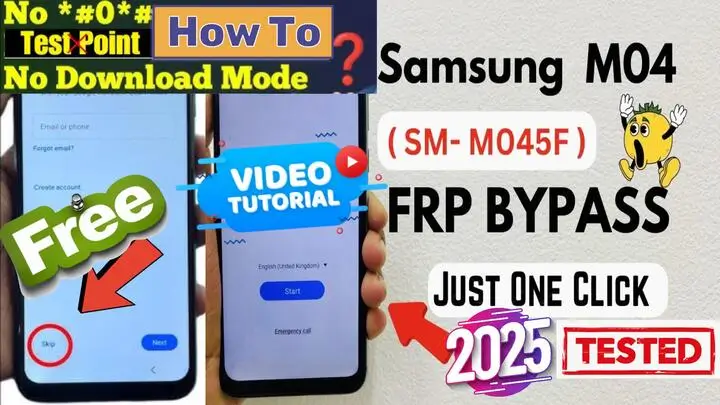
Samsung M04 SM-M045F FRP Bypass Android 14 U10 Free Easy 2025
Samsung M04 SM-M045F FRP Bypass Android 14 U10 Free Tool (No Test Point, No Box) – Easy 2025 Method
Samsung M04 SM-M045F تخطي حساب جوجل اندرويد 14 الحمايه الاخيره باداه مجانيه (بدون تيست بوينت، بدون بوكس) – طريقة سهلة 2025
إذا كنت تواجه مشكلة مع قفل FRP (حماية إعادة ضبط المصنع) على جهازك Samsung M04 (SM-M045F)، فإن هذا الدليل الشامل سيساعدك على تجاوز قفل حساب Google بسهولة ومجانًا. سواء كنت فنيًا أو مستخدمًا عاديًا، هذه الطريقة لا تتطلب Test Point، ولا تحتاج إلى Box، وتستخدم أداة مجانية فعالة وسهلة للعمل مع تحديثات البرامج لعام 2025.
ما هو قفل FRP؟
FRP (حماية إعادة ضبط المصنع) هي ميزة أمان قدمتها Google للأجهزة التي تعمل بنظام Android 5.1 أو أحدث. تهدف لحماية جهازك إذا تم إعادة ضبطه دون إذنك. ومع ذلك، إذا نسيت بيانات اعتماد حساب Google الخاص بك، فقد تجد نفسك مغلقًا خارج جهازك. هذا الدليل يقدم حلاً مخصصًا لجهاز Samsung M04 (M045F).
لماذا تختار هذه الطريقة؟
- لا حاجة إلى Test Point: على عكس الطرق الأخرى، هذه الطريقة لا تتطلب فتح الهاتف أو تعديلات على الأجهزة.
- لا حاجة إلى Box: لا حاجة لأدوات مكلفة مثل Octoplus أو Z3X. هذه الطريقة تعتمد على أداة مجانية تمامًا.
- سريعة وسهلة: العملية بسيطة، حتى للمبتدئين.
- أداة مجانية 100%: وفّر المال بتجنب البرامج أو الخدمات المدفوعة.
- متوافقة مع تحديثات 2025: تعمل مع أحدث تحديثات البرامج الثابتة لجهاز Samsung M04.
خطوات تجاوز قفل على Samsung M04 SM-M045F FRP Bypass
المتطلبات:
- جهاز كمبيوتر يعمل بنظام Windows.
- كابل USB.
- تحميل أداة تجاوز FRP المجانية (من قسم التحميل).
الخطوات:
- تنزيل وتثبيت الأداة:
- قم بتنزيل أداة تجاوز FRP من الرابط المتوفر.
- قم بتثبيتها على جهاز الكمبيوتر الخاص بك.
- توصيل الجهاز:
- قم بإيقاف تشغيل جهاز Samsung M04.
- وصله بالكمبيوتر باستخدام كابل USB.
- تشغيل الأداة:
- افتح أداة تجاوز FRP على الكمبيوتر.
- اتبع التعليمات بالفيديو لاكتشاف جهازك.
- بدء عملية التجاوز:
- سيشرح الفيديو خطوات إزالة قفل FRP.
- انتظر حتى تكتمل العملية.
- إعادة تشغيل الجهاز:
- بمجرد تأكيد الأداة للنجاح، قم بإعادة تشغيل جهاز Samsung M04.
- قم بإعداد الجهاز دون الحاجة إلى حساب Google.
نصائح للنجاح:
- تأكد من أن جهازك يحتوي على بطارية بنسبة 50% على الأقل قبل البدء.
- استخدم كابل USB الأصلي لضمان اتصال مستقر.
- قم بتعطيل أي برنامج مضاد فيروسات على الكمبيوتر لتجنب تعارضه مع الأداة.
الأسئلة الشائعة:
1. هل هذه الطريقة آمنة؟
نعم، الطريقة آمنة تمامًا لأنها لا تتضمن تعديلات خطيرة على الأجهزة أو تطبيقات طرف ثالث قد تضر بجهازك. ولكن تأكد من اختيار العنوان الصحيح لقسم FRP (persistent) لجهاز Samsung الخاص بك.
2. هل ستعمل على أجهزة Samsung الأخرى؟
تم تصميم هذه الطريقة خصيصًا لجهاز Samsung M04 (M045F). ومع ذلك، قد تدعم الأداة موديلات أخرى من Samsung MTK.
3. هل أحتاج إلى اتصال بالإنترنت؟
تحتاج إلى الإنترنت فقط لتنزيل الأداة، بينما عملية التجاوز نفسها لا تتطلب اتصالًا.
الخلاصة
تجاوز قفل FRP على جهاز Samsung M04 (M045F) أصبح أسهل من أي وقت مضى. باستخدام هذه الأداة المجانية، يمكنك فتح جهازك دون الحاجة إلى Test Point أو Box أو برامج مدفوعة. اتبع الخطوات المذكورة أعلاه، وستكون جاهزًا لاستخدام هاتفك في وقت قصير.
لمزيد من الأدلة التفصيلية والحلول، قم بزيارة مدونة MxEgyTech وتابع قناتنا على YouTube للحصول على دروس بالفيديو.
كلمات مفتاحية:
تجاوز FRP Samsung M04، إزالة حساب Google M045F، أداة FRP مجانية 2025، حل Samsung FRP، تجاوز بدون Test Point، إزالة FRP بسهولة، أداة فتح Samsung M04.
اكتشف المزيد من النصائح التقنية والحلول على مدونة MxEgyTech!
Click the arrow to reveal the translation in English
Samsung M04 SM-M045F FRP Bypass Android 14 U10 Free Tool (No Test Point, No Box) – Easy 2025 Method
If you’re struggling with FRP on your Samsung M04 SM-M045F device, this comprehensive guide will help you bypass the Google account lock easily and for free. Whether you’re a technician or an everyday user, this method requires no test point or box. Additionally, it uses a free tool that is both simple and effective, especially for the 2025 firmware updates. Moreover, this approach ensures that you can unlock your device without any complicated procedures or extra costs. Therefore, you can successfully bypass the FRP lock and regain full access to your Samsung M04 SM-M045F in just a few simple steps.
What is FRP Lock?
FRP (Factory Reset Protection) is a security feature introduced by Google for Android devices running Android 5.1 or later. Essentially, it protects your device in case it is reset without your authorization. However, if you forget your Google account credentials, you might find yourself locked out of your device. Fortunately, this guide offers a solution specifically for the SM-M045F FRP Bypass, helping you bypass the FRP lock.
As a result, you will be able to regain access to your device without encountering further issues. Moreover, this process is straightforward and free, so you won’t need to rely on expensive tools or complicated methods. By following the steps outlined in this guide, you can quickly and easily SM-M045F FRP Bypass, restoring full functionality to your device.
Why Choose This Method?
- No Test Point Required: Unlike other methods, this one doesn’t require opening the phone or using risky hardware modifications. Instead, you can unlock your device safely without any complex procedures.
- No Box Needed: Furthermore, you can forget about expensive tools like Octoplus or Z3X. In contrast, this method uses a completely free tool, eliminating the need for costly equipment.
- Quick and Easy: Additionally, the process is straightforward, even for beginners. By following the simple steps, you’ll be able to unlock your Samsung A02s in no time.
- 100% Free Tool: Moreover, you’ll save money by avoiding paid software or services. This is a completely free solution, making it accessible for everyone.
- Updated for 2025: Finally, this method is fully compatible with the latest Samsung M04 firmware. As a result, you can be confident that it will work with the most recent software updates.
Step-by-Step Guide to Samsung M04 SM-M045F FRP Bypass
Requirements:
- A Windows PC or laptop.
- A USB cable.
- Download the free FRP bypass tool (FROM DOWNLOAD SECTION]).
Steps:
- Download and Install the Tool:
- Download the FRP bypass tool from the provided link.
- Install it on your Windows computer.
- Connect Your Device:
- Turn Off your Samsung M04 and connect it to the PC using a USB cable.
- Run the Tool:
- Launch the FRP bypass tool on your PC.
- Follow the Video instructions to detect your device.
- Start the SM-M045F FRP Bypass Android 14 Process:
- The Video will guide you through the steps to remove the FRP lock.
- Wait for the process to complete.
- Reboot Your Device:
- Once the tool confirms success, restart your Samsung M04.
- Set up your device without needing a Google account.
Tips for Success:
- Ensure your device has at least 50% battery before starting the process.
- Use the original USB cable for a stable connection.
- Disable any antivirus software on your PC to avoid interference with the tool.
FAQs
1. Is this method safe?
Yes, this method is completely safe as it doesn’t involve risky hardware modifications or third-party apps that can harm your device. However, it’s important to ensure you choose the correct FRP Section Address (persistent for Samsung) for your device. In addition, taking this precaution will help avoid any issues during the unlocking process. Furthermore, following these steps carefully ensures that your device remains secure and functional throughout the process. Therefore, by paying attention to these details, you can unlock your device safely and efficiently.
2. Will this work on other Samsung devices?
This method is specifically designed for the Samsung M04 (SM-M045F FRP Bypass). However, it’s important to note that the tool may also support other MTK-based Samsung models. Additionally, while this guide focuses on the M04, you may find it useful for similar devices, allowing you to unlock FRP easily and for free. Therefore, even if you’re using a different MTK Samsung model, there’s a good chance that this method will work for you as well.
3. Do I need internet access?
You’ll need an internet connection to download the tool, but the bypass process itself doesn’t require internet.
Conclusion
Bypassing the FRP lock on your Samsung M04 (M045F) has never been easier. With this free tool, you can unlock your device without needing test points, boxes, or paid software. Moreover, by following the steps above, you’ll have your phone ready to use in no time. In addition, this method is straightforward and accessible for everyone, ensuring you won’t encounter any complicated procedures. Furthermore, it’s completely free, making it a perfect solution for anyone looking to unlock their device without extra costs.
For more detailed guides and solutions, visit MxEgyTech and check out our YouTube channel for video tutorials.
Keywords: Samsung M04 FRP bypass, M045F Google account bypass, free FRP tool 2025, Samsung FRP solution, no test point bypass, easy FRP removal, Samsung M04 unlock tool.
Explore more tech tips and solutions on MxEgyTech Blog!
يمكنك تنزيل الادوات من الرابط التالي:
Go to the Download Page
للذهاب لصفحة التحميل
يمكنك من خلال الضغط علي الزر التالي الذهاب لصفحة فحص وتحضير الروابط.
You can go to the link preparation and check page by pressing the button below.

PASS/كلمه السر :mxegy frp
⚡ تنبيه قانوني | Legal Notice:
This tutorial is intended for educational purposes only. We do not endorse or support any illegal activities. Therefore, always ensure that you have the legal right to unlock and modify your device before proceeding with any FRP bypass or account unlocking methods.
هذا الدرس لأغراض تعليمية فقط. نحن لا نؤيد أو ندعم أي أنشطة غير قانونية. تأكد دائمًا من أنك تملك الحق القانوني في فتح وتعديل جهازك قبل المتابعة في أي طرق لتخطي حساب جوجل أو فتح الحسابات.
للمزيد من المعلومات وحل المشكلات الأخرى، يمكنك زيارة موقعنا الرسمي
Your support truly means the world to me! Whether it’s by sharing, subscribing, watching ads, or contributing in any way, every little bit plays a crucial role in helping me create more content. Without your support, this journey wouldn’t be possible. So, I want to take a moment to express my sincere thanks for being a part of this exciting adventure! Together, we can continue to grow and achieve even more. ❤️



Top Free Mobile Repair Tools & Mobile Repair Guides 2025
Discover More Free Mobile Repair Tools of 2025, which include a range of advanced technical solutions, Mobile Repair Guides. These tools offer the ability to unlock phones,bypass Google account verification, fix IMEI and serial numbers, as well as repair network issues and revive dead boot devices. Whether you’re looking to fix your personal device or need professional tools to assist with mobile repairs, you’ll find a collection of free tools perfect for all of this and more. Read more about each tool to get detailed instructions on how to use them properly. These tools cater to the needs of all users, whether beginners or professionals, and support most brands like Samsung, Huawei, Xiaomi, Oppo, and others.


Comments
Post a Comment