Samsung A12 SM-A125F FRP Bypass Remove Google Account - All Security & Free Tool
Samsung A12 SM-A125F FRP Bypass
we will explain how to Samsung A12 SM-A125F FRP Bypass Remove Google Account using free tools in an easy way that works with all security patches and Android 12 versions U5/U6/U7.
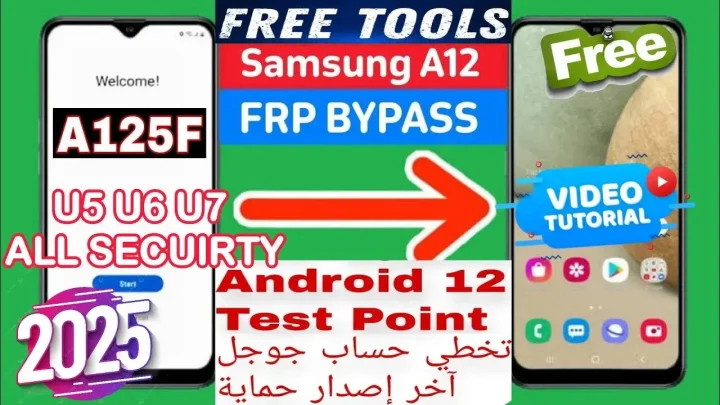
Samsung A12 FRP Bypass: إزالة حساب Google Android 12 U5/U6/U7 – جميع الحمايات وأداة مجانية
في عالم الهواتف الذكية، قد تواجه بعض التحديات التقنية مثل حماية إعادة ضبط المصنع (FRP) عند محاولة استعادة هاتفك إلى حالته الأصلية. هاتف Samsung A12 SM-A125F، المعروف بأدائه القوي وسعره المناسب، يبرز كواحد من الخيارات الشائعة بين المستخدمين. ولكن عندما يتعلق الأمر بتخطي حساب Google بعد إعادة ضبط المصنع، فإن الأمر قد يبدو معقدًا. في هذا المقال، سنشرح كيفية تخطي FRP لهاتف Samsung A12 باستخدام أدوات مجانية وبطريقة سهلة تعمل مع جميع الحمايات والإصدارات U5/U6/U7 من Android 12.
ما هي حماية FRP؟
حماية FRP هي اختصار ل”Factory Reset Protection“، وهي ميزة أمان أضافتها Google إلى أجهزة Android منذ إصدار Android 5.0 Lollipop. تعمل هذه الميزة على حماية الهاتف من الوصول غير المصرح به، حيث تطلب إدخال حساب Google المرتبط بالجهاز بعد إعادة ضبط المصنع. إذا نسيت بيانات تسجيل الدخول، فإن تجاوز هذه الحماية يصبح أمرًا ضروريًا.
خطوات تخطي FRP لهاتف Samsung SM-A125F
الخطوة 1: تجهيز الأدوات اللازمة
جهاز كمبيوتر بنظام تشغيل Windows.
كابل USB لتوصيل الهاتف.
أدوات مجانية لتخطي FRP مثل spflash و AUP.
اتصال بالإنترنت لتحميل الملفات اللازمة.
الخطوة 2: تنزيل الأداة المجانية
قم بتحميل الادوات والملف لاتمام العمليه FRP المناسبة من الرابط المذكور بالاسقل.
إصدار يدعم Android 12 والإصدارات U5/U6/U7.
الخطوة 3: إعداد الهاتف وتنفيذ عملية التخطي
قم بتسطيب التعريفات اللازمه (MTK/LIBUSB/USBDK)مهم جدا
اتبع ارشادات الفيديو
انتظر حتى تكتمل العملية.
الخطوة 5: التحقق من نجاح العملية
قم بإعادة تشغيل الهاتف.
إذا تم تجاوز حساب Google بنجاح، يمكنك إعداد الهاتف كجهاز جديد دون أي مشاكل.
نصائح لضمان نجاح العملية
تأكد من استخدام كابل USB أصلي.
قم بشحن الهاتف بنسبة لا تقل عن 50% قبل البدء.
اتبع التعليمات بدقة لتجنب أي أخطاء.
الخاتمة
عملية تخطي FRP لهاتف Samsung A12 SM-A125F أصبحت أسهل من أي وقت مضى بفضل الأدوات المجانية المتاحة. من خلال الخطوات الموضحة أعلاه، يمكنك تجاوز حماية حساب Google بسهولة وأمان. تذكر دائمًا استخدام هذه الأدوات بشكل مسؤول واحترم حقوق الملكية.
Click the arrow to reveal the translation in English
Samsung A12 SM-A125F FRP Bypass Remove Google Account Android 12 U5/U6/U7 – All Security & Free Tool
What is FRP Protection?
Factory Reset Protection (FRP) is a security feature introduced by Google on Android devices starting with Android 5.0 Lollipop. This feature protects the phone from unauthorized access by requiring the Google account credentials linked to the device after a factory reset. If you forget your login credentials, bypassing this protection becomes essential.
Steps to Bypass FRP on Samsung A12 SM-A125F
Step 1: Prepare the Necessary Tools
- A computer running Windows OS.
- A USB cable to connect the phone.
- Free FRP bypass tools like SP Flash and AUP.
- Internet access to download the required files.
Step 2: Download the Free Tool
Download the necessary tools and the FRP file from the link provided below.
- Ensure the tool version supports Android 12 and U5/U6/U7 firmware versions.
Step 3: Set Up the Phone and Execute the Process
- Install the required drivers:
- MTK Driver
- LIBUSB
- USBDK
(These are critical for the process to work.)
- Follow the instructions in the accompanying video tutorial.
- Wait for the process to complete.
Step 4: Verify Success
- Restart the phone.
- If the Google account prompt is successfully bypassed, set up the device as a new phone without issues.
Tips for a Successful Process
- Use an original USB cable.
- Ensure the phone has at least 50% battery before starting.
- Follow the instructions carefully to avoid any errors.
Conclusion
Bypassing FRP on the Samsung A12 SM-A125F has become easier than ever. By using the right tools and following the steps outlined above, you can regain access to your device quickly and efficiently.
يمكنك تنزيل الادوات من الرابط التالي:
Go to the Download Page
للذهاب لصفحة التحميل
يمكنك من خلال الضغط علي الزر التالي الذهاب لصفحة فحص وتحضير الروابط.
You can go to the link preparation and check page by pressing the button below.
PASS/كلمه السر : mxegy frp
⚡ تنبيه قانوني | Legal Notice:
This tutorial is for educational purposes only. We do not endorse or support any illegal activities. Always ensure that you have the legal right to unlock and modify your device before proceeding with any FRP bypass or account unlocking methods.
هذا الدرس لأغراض تعليمية فقط. نحن لا نؤيد أو ندعم أي أنشطة غير قانونية. تأكد دائمًا من أنك تملك الحق القانوني في فتح وتعديل جهازك قبل المتابعة في أي طرق لتخطي حساب جوجل أو فتح الحسابات.
للمزيد من المعلومات وحل المشكلات الأخرى، يمكنك زيارة موقعنا الرسمي
Your support means the world to me! Whether it’s by sharing, subscribing, watching ads, or contributing in any way – every little bit helps me create more content. Thank you for being part of this journey! ❤️

Top Free Mobile Repair Tools 2025
Discover More Free Mobile Repair Tools of 2025, which include a range of advanced technical solutions. These tools offer the ability to unlock phones,bypass Google account verification, fix IMEI and serial numbers, as well as repair network issues and revive dead boot devices. Whether you’re looking to fix your personal device or need professional tools to assist with mobile repairs, you’ll find a collection of free tools perfect for all of this and more. Read more about each tool to get detailed instructions on how to use them properly. These tools cater to the needs of all users, whether beginners or professionals, and support most brands like Samsung, Huawei, Xiaomi, Oppo, and others.


Comments
Post a Comment