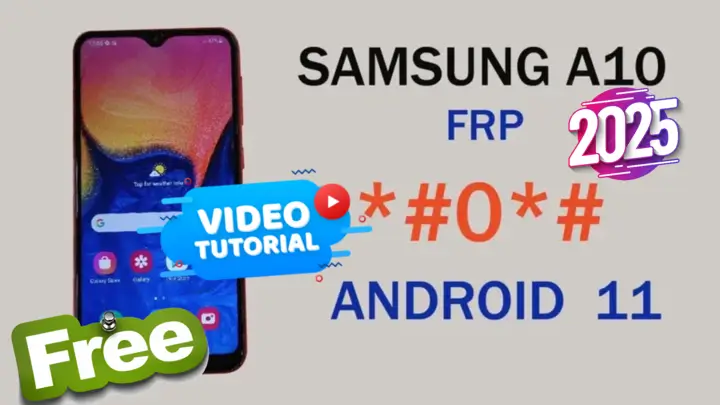
Samsung A10 Android 11 FRP Bypass Remove Google Account Lock Using Free Tools
Samsung A10 Android 11 FRP Bypass: Remove Google Account Lock Using Free AUP Tool
تجاوز حماية FRP لهاتف Samsung A10 بنظام Android 11: إزالة قفل حساب Google باستخدام أدوات مجانية
قفل FRP (حماية إعادة ضبط المصنع) هو ميزة أمان في أجهزة الأندرويد تمنع الوصول غير المصرح به بعد إعادة ضبط المصنع. إذا كنت تمتلك هاتف Samsung A10 يعمل بنظام Android 11 وواجهت مشكلة في شاشة التحقق من حساب Google، فهذا الدليل هنا لمساعدتك. سنوضح لك كيفية تجاوز قفل FRP باستخدام أداة Android Utility Tool، وهي طريقة مجانية وموثوقة متوافقة مع أحدث تصحيحات الأمان.
لماذا تختار أداة Android Utility Tool؟
أداة Android Utility Tool هي برنامج مجاني قوي مصمم لتجاوز قفل FRP وإصلاح مشاكل الأجهزة الأخرى. إليك لماذا تعتبر خيارًا رائعًا لتخطي FRP على هاتف Samsung A10:
- مجاني بالكامل: لا حاجة لدفع رسوم لاستخدام أدوات مدفوعة.
- لا يتطلب خبرة تقنية: واجهة سهلة الاستخدام.
- متوافق مع أحدث تصحيحات الأمان: يعمل مع الأجهزة المحدثة.
خطوات تخطي قفل FRP على Samsung A10
اتبع هذه الخطوات بعناية لتجاوز قفل FRP على هاتفك:
1. تحميل الملفات المطلوبة
- قم بتنزيل أداة Android Utility Tool.
- تأكد من تثبيت أحدث تعريفات USB لأجهزة Samsung على جهاز الكمبيوتر الخاص بك.
2. تحضير الجهاز
- اشحن جهازك Samsung A10 بالكامل لتجنب أي انقطاع أثناء العملية.
- قم بتوصيل الجهاز بجهاز الكمبيوتر باستخدام كابل USB عالي الجودة.
- قم بتمكين وضع تصحيح USB من إعدادات المطور (شاهد خطوات الفيديو).
3. تشغيل أداة Android Utility Tool
- قم بتشغيل الأداة على جهاز الكمبيوتر الخاص بك.
- اتبع التعليمات على الشاشة للكشف عن جهازك.
4. تخطي قفل FRP
- اختر خيار “Bypass FRP”.
- انتظر حتى تقوم الأداة بمعالجة الجهاز وإزالة قفل حساب Google.
5. إعادة تشغيل الجهاز
- بعد اكتمال عملية التخطي، قم بإعادة تشغيل هاتف Samsung A10.
- قم بإعداد الجهاز كأنه جديد دون الحاجة إلى الحساب السابق.
الأسئلة الشائعة
س: هل أداة Android Utility Tool آمنة للاستخدام؟
ج: نعم، الأداة آمنة تمامًا وخالية من البرامج الضارة أو السكربتات الضارة.
س: هل ستؤدي هذه الطريقة إلى فقدان الضمان؟
ج: لا، لأن الطريقة لا تتضمن عمل روت أو تعديل نظام الجهاز.
س: هل تعمل هذه الطريقة مع أجهزة Samsung الأخرى؟
ج: نعم، الأداة تدعم مجموعة واسعة من أجهزة Samsung. تحقق من قائمة التوافق في الأداة.
نصائح لحل المشاكل
إذا لم يتم الكشف عن جهازك، تأكد من تمكين تصحيح USB وتثبيت التعريفات الصحيحة.
إذا فشلت العملية، أعد تشغيل الكمبيوتر، وأعد توصيل الجهاز، وحاول مرة أخرى.
ابق على اتصال
للحصول على المزيد من الأدلة والنصائح، تابعنا:
- فيسبوك: facebook.com/matrixegybest1
- تويتر: x.com/MatrixEgyFRP
- إنستغرام: instagram.com/matrix_egy
- يوتيوب: https://www.youtube.com/@MxEgy-Tech
الخاتمة
تخطي قفل FRP على هاتف Samsung A10 بنظام Android 11 أصبح الآن أسهل من أي وقت مضى باستخدام أداة Android Utility Tool. هذا الحل المجاني موثوق وآمن ويعمل مع أحدث التحديثات. إذا وجدت هذا الدليل مفيدًا، لا تنس مشاركته مع الآخرين واستكشاف المزيد من الموارد على موقعنا.
زر موقعنا لمزيد من الشروحات: https://mxegytech.com/.
Click the arrow to reveal the translation in English
Samsung A10 Android 11 FRP Bypass: Remove Google Account Lock Using Free Tools
The FRP (Factory Reset Protection) lock is a security feature in Android devices to prevent unauthorized access after a factory reset. If you own a Samsung A10 running Android 11 and are stuck at the Google Account Verification screen, this guide is here to help. We’ll show you how to bypass FRP using the Android Utility Tool, a free and reliable method compatible with the latest security patches.
Why Choose the Android Utility Tool?
The Android Utility Tool is a powerful free software designed for FRP bypassing and other device fixes. Here’s why it’s a great choice for Samsung A10 FRP bypass:
- Completely free: No need to pay for premium tools.
- No technical expertise required: Easy-to-use interface.
- Compatible with the latest security patches: Works with updated devices.
Steps to Bypass FRP on Samsung A10
Follow these steps carefully to bypass the FRP lock on your Samsung A10:
- Download the Required Files
- Download the Android Utility Tool
- Ensure you have the latest USB drivers for Samsung installed on your PC.
- Prepare Your Device
- Fully charge your Samsung A10 to avoid interruptions.
- Connect the device to your PC using a high-quality USB cable.
- Enable USB Debugging in the developer settings (watch video steps).
- Run the Android Utility Tool
- Launch the tool on your PC.
- Follow the on-screen instructions to detect your device.
- Bypass the FRP Lock
- Choose the “Bypass FRP” option.
- Wait for the tool to process and remove the Google account lock.
- Restart Your Device
- Once the bypass process is complete, restart your Samsung A10.
- Set it up as a new device without needing the previous Google account.
FAQs
Q: Is the Android Utility Tool safe to use?
A: Yes, it is completely safe and free from malware or harmful scripts.
Q: Will this process void my warranty?
A: No, as the method does not involve rooting or modifying the device software.
Q: Can this method work on other Samsung devices?
A: Yes, the tool supports a wide range of Samsung devices. Refer to the compatibility list in the tool.
Troubleshooting Tips
- If the tool doesn’t detect your device, ensure USB Debugging is enabled and the proper drivers are installed.
- If the process fails, restart your PC, reconnect the device, and try again.
Stay Connected
For more guides and tips, follow us:
- Facebook: facebook.com/matrixegybest1
- Twitter: x.com/MatrixEgyFRP
- Instagram: instagram.com/matrix_egy
- YouTube: https://www.youtube.com/@MxEgy-Tech
Conclusion
Bypassing FRP on your Samsung A10 running Android 11 is now easier than ever using the Android Utility Tool. This free solution is reliable, safe, and works with the latest updates. If you found this guide helpful, don’t forget to share it with others and explore more resources on our website.
Visit our website for more tutorials: https://mxegytech.com/.
يمكنك تنزيل الادوات من الرابط التالي:
Go to the Download Page
للذهاب لصفحة التحميل
يمكنك من خلال الضغط علي الزر التالي الذهاب لصفحة فحص وتحضير الروابط.
You can go to the link preparation and check page by pressing the button below.

PASS/كلمه السر :mxegy frp
⚡ تنبيه قانوني | Legal Notice:
This tutorial is for educational purposes only. We do not endorse or support any illegal activities. Always ensure that you have the legal right to unlock and modify your device before proceeding with any FRP bypass or account unlocking methods.
هذا الدرس لأغراض تعليمية فقط. نحن لا نؤيد أو ندعم أي أنشطة غير قانونية. تأكد دائمًا من أنك تملك الحق القانوني في فتح وتعديل جهازك قبل المتابعة في أي طرق لتخطي حساب جوجل أو فتح الحسابات.
للمزيد من المعلومات وحل المشكلات الأخرى، يمكنك زيارة موقعنا الرسمي
Your support means the world to me! Whether it’s by sharing, subscribing, watching ads, or contributing in any way – every little bit helps me create more content. Thank you for being part of this journey! ❤️



Top Free Mobile Repair Tools & Mobile Repair Guides 2025
Discover More Free Mobile Repair Tools of 2025, which include a range of advanced technical solutions, Mobile Repair Guides. These tools offer the ability to unlock phones,bypass Google account verification, fix IMEI and serial numbers, as well as repair network issues and revive dead boot devices. Whether you’re looking to fix your personal device or need professional tools to assist with mobile repairs, you’ll find a collection of free tools perfect for all of this and more. Read more about each tool to get detailed instructions on how to use them properly. These tools cater to the needs of all users, whether beginners or professionals, and support most brands like Samsung, Huawei, Xiaomi, Oppo, and others.


Comments
Post a Comment