Samsung A02s FRP Unlock Free tool All Security 2025
Samsung A02s FRP (A025F/A025G) Android 12 Google Account Bypass FRP All Security 2025
In this video, we’ll show you how to unlock the FRP (Factory Reset Protection) on your Samsung A02s (A025F/A025G) for free. If, for example, you need to remove the Google account on your Samsung A02s FRP (Android 12 U7/U8), then this guide will help you unlock it easily and at no cost. Moreover, by following these simple steps, you will be able to complete the process quickly and without any charge. In addition, this method is entirely free and doesn’t require any expensive tools. As a result, you can unlock your device without spending any money or using complicated tools.
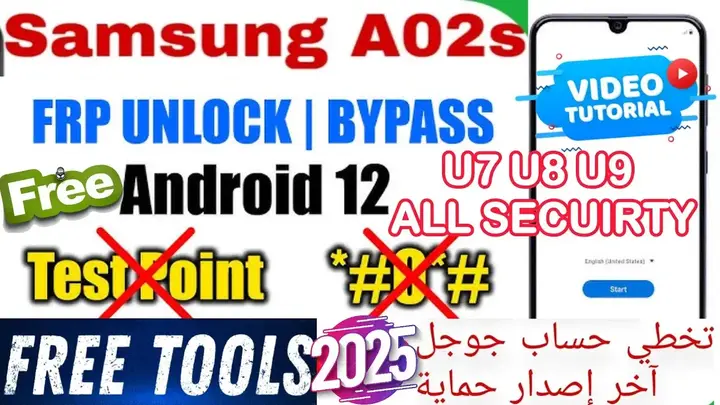
كيفية فتح قفل FRP لهاتف Samsung A02s (A025F/A025G) مجانًا | تجاوز حساب جوجل على أندرويد 12 U7/U8
إذا كنت تمتلك هاتف Samsung A02s FRP (الطراز A025F/A025G) وترغب في تخطي حماية FRP (Factory Reset Protection) لتجاوز حساب جوجل على أندرويد 12 U7/U8، فإن هذا المقال سيوضح لك طريقة فتح القفل بسهولة وبشكل مجاني. علاوة على ذلك، مع تطور تقنيات الأمان في هواتف سامسونج، قد يواجه العديد من المستخدمين مشكلة في تجاوز هذه الحماية بعد إعادة ضبط المصنع. ومع ذلك، سنقدم لك طريقة فعالة وآمنة لتخطي FRP، مما يساعدك على استعادة جهازك بسرعة دون التأثير على أدائه. وبالتالي، يمكنك الاستفادة من هذه الطريقة المجانية والفعالة لتخطي حماية FRP مع الحفاظ على أداء الهاتف كما هو.
خطوات فتح قفل FRP للهاتف Samsung A02s ما هو FRP؟ وكيف يؤثر على جهازك؟ كيفية تخطي قفل FRP على هواتف Samsung A02s
ما هو FRP (Factory Reset Protection)؟
تقنية FRP هي طبقة أمان إضافية وضعتها جوجل لحماية بيانات المستخدمين من السرقة بعد إجراء إعادة ضبط المصنع. في حال كان جهازك مرتبطًا بحساب جوجل، يتطلب منك النظام إدخال بيانات الحساب بعد إعادة ضبط المصنع لكي تتمكن من استخدام الجهاز مجددًا.
خطوات فتح قفل FRP:
قم بتحميل الأدوات المطلوبة وتسطيب التعريفات QC DRIVER مهم جدا لتخطي حساب جوجل على جهاز الكمبيوتر.
استخدام أداة FRP الخاصة:
اتبع التعليمات المرفقة بالفيديو للأداة لتجاوز قفل FRP.
إعادة ضبط الجهاز:
بعد إتمام الخطوات، يمكنك إعادة تشغيل الهاتف دون الحاجة لإدخال حساب جوجل.
الخاتمة:
فتح قفل FRP على Samsung A02s قد يكون عملية معقدة بعض الشيء إذا لم تستخدم الأدوات الصحيحة. ولكن مع التعليمات التي قدمناها، يمكنك تجاوز القفل بسهولة وبسرعة. لا تنسَ التأكد من أنك تستخدم الطريقة القانونية والآمنة لضمان الحفاظ على أمان بياناتك.
Click the arrow to reveal the translation in English
Samsung A02s FRP Unlock (A025F/A025G) Free | Android 12 U7/U8 Google Account Bypass FRP All Security
If you own a Samsung A02s (A025F/A025G) and need to unlock the Samsung A02s FRP (Factory Reset Protection) using a free tool for all security levels and bypass the Google account on Android 12 U7/U8, this article will guide you through the process easily and at no cost. With the advancement of security features in Samsung devices, many users often face challenges when trying to bypass this protection after performing a factory reset.
However, don’t worry—this guide will provide you with an effective and safe method to unlock the FRP. Furthermore, you will be able to maintain your phone’s speed and performance while completing the process smoothly. Additionally, the steps are simple, ensuring that you can do it without any technical expertise.
What is FRP (Factory Reset Protection)?
FRP (Factory Reset Protection) is an additional security layer introduced by Google to protect user data from theft after a factory reset. In other words, if your device is linked to a Google account, the system will require you to enter the account details after performing a factory reset. This step is essential in order to regain access to your device. Furthermore, FRP prevents unauthorized access, ensuring that only the rightful owner can use the device again. Consequently, if you cannot remember your Google account credentials, unlocking the FRP becomes necessary to regain access to your Samsung A02s.
Steps to Unlock FRP Google Account Bypass:
- Preparation:
- Download the necessary FRP bypass tools Setup Drivers (QC drivers is very important) on your PC.
- Using the FRP Tool:
- Follow the instructions provided with the Video to bypass the FRP lock.
- Once you complete the steps, you can reboot your phone without needing to enter the Google account.
Conclusion:
Unlocking the Samsung A02s FRP lock can be a bit tricky if the correct tools are not used. However, with the instructions provided, you can bypass the FRP and remove all security measures quickly and easily. Moreover, by following these steps carefully, you will be able to unlock your device without any complications. Additionally, it’s important to always make sure you’re using a legal and safe method to avoid any potential risks. By doing so, you’ll ensure your data’s security while effectively unlocking the FRP lock on your Samsung A02s.
يمكنك تنزيل الادوات من الرابط التالي:
Go to the Download Page
للذهاب لصفحة التحميل
يمكنك من خلال الضغط علي الزر التالي الذهاب لصفحة فحص وتحضير الروابط.
You can go to the link preparation and check page by pressing the button below.
⚡ تنبيه قانوني | Legal Notice:
This tutorial is intended for educational purposes only. We do not endorse or support any illegal activities. Therefore, always ensure that you have the legal right to unlock and modify your device before proceeding with any FRP bypass or account unlocking methods.
هذا الدرس لأغراض تعليمية فقط. نحن لا نؤيد أو ندعم أي أنشطة غير قانونية. تأكد دائمًا من أنك تملك الحق القانوني في فتح وتعديل جهازك قبل المتابعة في أي طرق لتخطي حساب جوجل أو فتح الحسابات.
للمزيد من المعلومات وحل المشكلات الأخرى، يمكنك زيارة موقعنا الرسمي
Your support truly means the world to me! Whether it’s by sharing, subscribing, watching ads, or contributing in any way, every little bit plays a crucial role in helping me create more content. Without your support, this journey wouldn’t be possible. So, I want to take a moment to express my sincere thanks for being a part of this exciting adventure! Together, we can continue to grow and achieve even more. ❤️

Top Free Mobile Repair Guides 2025
Discover more free mobile repair Guides of 2025, which include a wide range of advanced technical solutions. These tools, for instance, offer the ability to unlock phones, bypass Google account verification, fix IMEI and serial numbers, as well as repair network issues and revive dead boot devices. Whether you’re looking to fix your personal device or need professional tools to assist with mobile repairs, you’ll find a collection of free tools that are perfect for all of this and more. Additionally, you can read more about each tool to get detailed instructions on how to use them properly. Furthermore, these tools cater to the needs of all users, whether beginners or professionals.


Comments
Post a Comment