Realme C11 RMX3231 Dead Boot Repair | Fix FRP, Hang Logo, and More Issues with SPD Flash Tool
Realme C11 RMX3231 Dead Boot Repair | Fix FRP, Hang Logo, and More Issues with SPD Flash Tool
إصلاح جهاز Realme RMX3231 باستخدام SPD Flash Tool | حل مشكلة Dead Boot، FRP، والشعار العالق
ذا كنت تمتلك جهاز Realme RMX3231 وتواجه مشاكل مثل الـ Dead Boot أو الشعار العالق أو مشاكل الـ FRP (حماية إعادة ضبط المصنع)، فأنت في المكان الصحيح! في هذا المقال، سنتعرف على كيفية استخدام SPD Flash Tool لحل هذه المشاكل بسهولة ودون فقدان البيانات، مع توفير روابط الأدوات والتعريفات اللازمة.
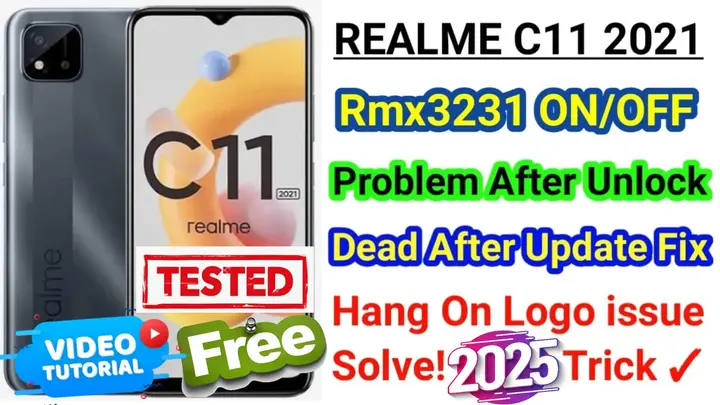
ما هو SPD Flash Tool؟
SPD Flash Tool هو أداة مجانية قوية مخصصة للأجهزة التي تستخدم معالجات Spreadtrum (مثل جهاز Realme RMX3231). تساعد هذه الأداة في تثبيت الرومات الجديدة وحل مشاكل النظام مثل Dead Boot و FRP Bypass و App crashes.
كيفية إصلاح مشكلة Dead Boot باستخدام SPD Flash Tool
الخطوات:
- تحميل SPD Flash Tool:
أول خطوة هي تحميل SPD Flash Tool من الرابط بالاسفل : - تحميل ملف الفلاش (Firmware):
ستحتاج إلى تحميل Firmware خاص بجهازك RMX3231 من الرابط بالاسفل : - تحميل التعريفات:
إذا كنت لم تقم بتثبيت تعريفات جهاز Realme RMX3231 على جهاز الكمبيوتر، يمكنك تحميلها من الرابط بالاسفل : - تثبيت التعريفات:
بعد تحميل التعريفات، قم بتثبيتها على جهاز الكمبيوتر الخاص بك. - تشغيل SPD Flash Tool:
بعد تثبيت جميع الأدوات، قم بتشغيل SPD Flash Tool. - تحميل ملف الفلاش إلى الأداة:
في SPD Flash Tool، اختر ملف الفلاش المناسب لجهازك RMX3231. بعد ذلك، اختر “Download” لبدء عملية الفلاش. - تابع الفيديو خطوه بخطوه
- إعادة تشغيل الجهاز:
بعد اكتمال عملية الفلاش، قم بفصل الجهاز وإعادة تشغيله. ستلاحظ أن مشكلة Dead Boot قد تم حلها بنجاح.
حل مشاكل FRP باستخدام SPD Flash Tool
إذا كان جهازك RMX3231 يحتوي على قفل FRP (حماية إعادة ضبط المصنع)، يمكن أيضًا استخدام SPD Flash Tool لتخطي هذه الحماية باتباع نفس الخطوات التي تم شرحها أعلاه.
نصيحة هامة
تأكد دائمًا من تحميل ملفات الفلاش المناسبة لجهازك لتجنب حدوث مشاكل أثناء الفلاش.
حل مشكلة الشعار العالق (Hang Logo)
إذا كان جهازك عالقًا على الشعار عند التشغيل، يمكن حل هذه المشكلة باستخدام SPD Flash Tool عبر تحميل الفلاش الصحيح وتثبيته باستخدام نفس الأداة.
لماذا يجب استخدام SPD Flash Tool؟
- أداة مجانية: لا تحتاج إلى دفع أي رسوم لاستخدام SPD Flash Tool.
- حل شامل: يمكن استخدام الأداة لحل العديد من المشاكل بما في ذلك Dead Boot و FRP و Hang Logo.
- دعم كبير للأجهزة: تدعم الأداة العديد من الأجهزة التي تعمل بمعالجات Spreadtrum مثل RMX3231.
خاتمة
باستخدام SPD Flash Tool، يمكنك إصلاح معظم المشاكل التي قد تواجهك مع جهاز Realme RMX3231 مثل Dead Boot و FRP و Hang Logo بسهولة. لا تنسَ تحميل الأدوات اللازمة من الروابط التي قدمناها لك، وتأكد من اتباع الخطوات بعناية للحصول على أفضل النتائج.
إذا واجهتك أي مشكلة أو كنت بحاجة إلى مساعدة إضافية، لا تتردد في التواصل معنا عبر التعليقات أو من خلال روابطنا الرسمية على وسائل التواصل الاجتماعي. نحن هنا دائمًا لمساعدتك!
Click the arrow to reveal the translation in English
RMX3231 Dead Boot Repair | Fix FRP, Hang Logo, and More Issues with SPD Flash Tool
If you’re facing issues with your Realme RMX3231, such as Dead Boot, FRP lock, or the device stuck on the logo, you’re in the right place! In this guide, we’ll show you how to use SPD Flash Tool to fix these problems efficiently, including FRP bypass, Dead Boot repair, and more. All necessary links to firmware, drivers, and tools will be provided.
What is SPD Flash Tool?
SPD Flash Tool is a free, powerful software designed for devices using Spreadtrum processors (like the Realme RMX3231). This tool helps in flashing firmware, repairing Dead Boot, bypassing FRP, and fixing other system-related issues.
How to Fix Dead Boot on RMX3231 Using SPD Flash Tool
Steps:
- Download SPD Flash Tool:
First, download the SPD Flash Tool from the link below: - Download Firmware File:
You need to download the correct Firmware for your RMX3231. Get it from link below: - Download Drivers:
If you haven’t installed the necessary drivers for your RMX3231 device, you can download them from link below: - Install Drivers:
Once downloaded, install the drivers on your computer. - Launch SPD Flash Tool:
Open the SPD Flash Tool after installation. - Load Firmware into the Tool:
In the SPD Flash Tool, choose the firmware file for your RMX3231 and click “Download” to start the flashing process. - watch video guide step by step
- Reboot the Device:
After the flashing process is completed, disconnect the device and restart it. You will see the Dead Boot issue fixed.
Fixing FRP Issues with SPD Flash Tool
If your RMX3231 is stuck due to FRP (Factory Reset Protection), SPD Flash Tool can also help in bypassing FRP by following the same steps mentioned above.
Important Tip
Make sure to download the correct firmware files to avoid any issues during flashing.
Fixing Hang Logo Issue on RMX3231
If your device is stuck on the boot logo, you can fix it using SPD Flash Tool by flashing the correct firmware.
Why Use SPD Flash Tool?
- Free Tool: SPD Flash Tool is completely free to use.
- Comprehensive Fix: It can help fix various issues like Dead Boot, FRP bypass, and Hang Logo.
- Wide Device Support: It supports many devices with Spreadtrum processors, including the Realme RMX3231.
Conclusion
With SPD Flash Tool, you can easily fix common issues on your Realme RMX3231 such as Dead Boot, FRP, and Hang Logo. Make sure to download the required files from the links provided and follow the steps carefully.
يمكنك تنزيل الادوات من الرابط التالي:
Go to the Download Page
للذهاب لصفحة التحميل
يمكنك من خلال الضغط علي الزر التالي الذهاب لصفحة فحص وتحضير الروابط.
You can go to the link preparation and check page by pressing the button below.

PASS/كلمه السر :mxegy frp
⚡ تنبيه قانوني | Legal Notice:
This tutorial is for educational purposes only. We do not endorse or support any illegal activities. Always ensure that you have the legal right to unlock and modify your device before proceeding with any FRP bypass or account unlocking methods.
هذا الدرس لأغراض تعليمية فقط. نحن لا نؤيد أو ندعم أي أنشطة غير قانونية. تأكد دائمًا من أنك تملك الحق القانوني في فتح وتعديل جهازك قبل المتابعة في أي طرق لتخطي حساب جوجل أو فتح الحسابات.
للمزيد من المعلومات وحل المشكلات الأخرى، يمكنك زيارة موقعنا الرسمي
Your support means the world to me! Whether it’s by sharing, subscribing, watching ads, or contributing in any way – every little bit helps me create more content. Thank you for being part of this journey! ❤️



Top Free Mobile Repair Tools & Mobile Repair Guides 2025
Discover More Free Mobile Repair Tools of 2025, which include a range of advanced technical solutions, Mobile Repair Guides. These tools offer the ability to unlock phones,bypass Google account verification, fix IMEI and serial numbers, as well as repair network issues and revive dead boot devices. Whether you’re looking to fix your personal device or need professional tools to assist with mobile repairs, you’ll find a collection of free tools perfect for all of this and more. Read more about each tool to get detailed instructions on how to use them properly. These tools cater to the needs of all users, whether beginners or professionals, and support most brands like Samsung, Huawei, Xiaomi, Oppo, and others.


Comments
Post a Comment