OPPO A7 Factory Reset & FRP Bypass | Free Tool & LOADER FIREHOSE
OPPO A7 Factory Reset & FRP Bypass | Miracle 3.4 & Free LOADER FIREHOSE
If you own an OPPO A7 (models CPH1901, CPH1903, CPH1905) or you need OPPO A7 Factory Reset & FRP Bypass, this comprehensive guide provides step-by-step instructions using Miracle 3.4 and the free LOADER FIREHOSE. Whether you’re a technician or an average user, you’ll find everything you need here.
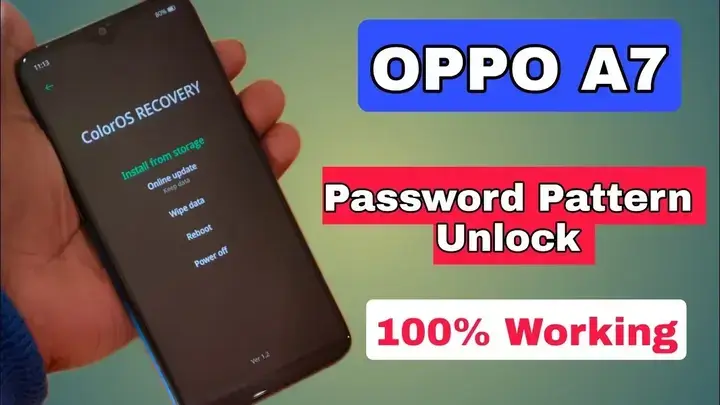
OPPO A7 (CPH1901, CPH1903, CPH1905) | إعادة ضبط المصنع وتخطي حساب جوجل | Miracle 3.4 & LOADER FIREHOSE مجاني
إذا كنت تمتلك هاتف OPPO A7 (الإصدارات CPH1901, CPH1903, CPH1905) وواجهت مشكلة في تجاوز قفل FRP أو تحتاج إلى إعادة ضبط المصنع، فإن هذه المقالة تقدم لك الدليل الشامل للقيام بذلك باستخدام Miracle 3.4 و LOADER FIREHOSE المجاني. سواء كنت فنيًا أو مستخدمًا عاديًا، ستجد هنا كل ما تحتاجه.
ما هو FRP ولماذا هو مهم؟
تعريف FRP
FRP، أو حماية إعادة ضبط المصنع (Factory Reset Protection)، هي ميزة أمان مقدمة من جوجل تهدف إلى حماية الهواتف من الوصول غير المصرح به بعد إعادة ضبط المصنع.
أهمية تجاوز FRP
في بعض الحالات، قد تنسى بيانات تسجيل الدخول إلى حساب جوجل الخاص بك، مما يمنعك من استخدام هاتفك. في مثل هذه الحالات، يصبح تجاوز FRP أمرًا ضروريًا.
الأدوات المطلوبة
Miracle 3.4
برنامج Miracle Box هو أداة شهيرة تُستخدم لإصلاح الهواتف المحمولة، ويُعرف بسهولة استخدامه وكفاءته.
LOADER FIREHOSE المجاني
ملف Firehose هو أداة برمجية تُستخدم لبرمجة الهواتف الذكية التي تعمل بمعالج Qualcomm.
الكابلات والبرامج
كابل USB عالي الجودة.
برامج تشغيل Qualcomm USB Drivers.
كمبيوتر يعمل بنظام Windows.
خطوات إعادة ضبط المصنع وتجاوز FRP
الخطوة 1: تثبيت البرامج
قم بتنزيل وتثبيت Miracle 3.4 على جهاز الكمبيوتر الخاص بك.
قم بتثبيت برامج تشغيل Qualcomm USB Drivers.
الخطوة 2: وضع الهاتف في وضع EDL
قم بإيقاف تشغيل الهاتف.
اتبع ارشاادات الفيديو للدخول للوضع EDL (وضع التنزيل).
الخطوة 3: استخدام Miracle 3.4
افتح Miracle 3.4 وحدد خيار “Qualcomm”.
اختر “Read/Write” ثم قم بتحميل ملف LOADER FIREHOSE.
اضغط على زر “Start” واتبع التعليمات بالفيديو بالاعلي.
الخطوة 4: إعادة تشغيل الهاتف
بمجرد اكتمال العملية، قم بإعادة تشغيل الهاتف وتحقق من تجاوز قفل FRP.
نصائح لتحسين الأداء
تحديثات البرامج
تأكد دائمًا من تثبيت أحدث تحديثات البرامج على هاتفك.
النسخ الاحتياطي
قم بإنشاء نسخة احتياطية لبياناتك اذا امكن قبل تنفيذ أي عملية لإعادة ضبط المصنع.
التحذيرات
تأكد من شحن الهاتف بالكامل قبل بدء العملية.
Click the arrow to reveal the translation in English
OPPO A7 Factory Reset and Bypass FRP | Free Miracle 3.4 & LOADER
If you own an OPPO A7 (CPH1901, CPH1903, or CPH1905) and face issues with FRP lock or need a factory reset, this guide will help you accomplish the task using Miracle 3.4 and the free LOADER FIREHOSE. Whether you’re a technician or a regular user, this article provides all the necessary details.
What is FRP and Why is it Important?
Definition of FRP
FRP (Factory Reset Protection) is a security feature introduced by Google to prevent unauthorized access to devices after a factory reset.
Why Bypass FRP?
In some cases, users may forget their Google account login details, locking them out of their device. Bypassing FRP becomes necessary in such situations.
Required Tools
- Miracle 3.4
Miracle Box is a popular tool for mobile phone repair, known for its ease of use and efficiency. - LOADER (Free)
The Firehose file is a software utility used for programming Qualcomm chipset-based smartphones. - Cables and Drivers
- High-quality USB cable.
- Qualcomm USB Drivers.
- A Windows PC.
Steps for Factory Reset and Bypass FRP
Step 1: Install Necessary Software
- Download and install Miracle 3.4 on your PC.
- Install Qualcomm USB Drivers.
Step 2: Put the Phone in EDL Mode
- Turn off your phone.
- Follow video instructions to enter EDL mode (Emergency Download Mode).
Step 3: Use Miracle 3.4
- Open Miracle 3.4 and select the “Qualcomm” option.
- Choose “Read/Write” and load the LOADER file.
- Click “Start” and follow the on-screen instructions.
Step 4: Restart the Phone
- Once the process is complete, restart the phone and verify the FRP lock has been bypassed.
Tips for Improved Performance
- Software Updates
Always ensure your phone is running the latest software updates. - Backup Your Data
If possible, back up your data before performing a factory reset.
Warnings
- Ensure your phone is fully charged before starting the process.
- Follow the steps carefully to avoid any issues.
By following this guide, you should be able to reset your OPPO A7 and bypass the FRP lock efficiently.
Easy Method for Google Account Bypassing FRP | طريقه سهله لتخطي حساب جوجل
يمكنك تنزيل الاداه من الرابط التالي:
Go to the Download Page
للذهاب لصفحة التحميل
يمكنك من خلال الضغط علي الزر التالي الذهاب لصفحة فحص وتحضير الروابط.
You can go to the link preparation and check page by pressing the button below.
PASS/كلمه السر : mxegy frp
⚡ تنبيه قانوني | Legal Notice:
This tutorial is for educational purposes only. We do not endorse or support any illegal activities. Always ensure that you have the legal right to unlock and modify your device before proceeding with any FRP bypass or account unlocking methods.
هذا الدرس لأغراض تعليمية فقط. نحن لا نؤيد أو ندعم أي أنشطة غير قانونية. تأكد دائمًا من أنك تملك الحق القانوني في فتح وتعديل جهازك قبل المتابعة في أي طرق لتخطي حساب جوجل أو فتح الحسابات.
للمزيد من المعلومات وحل المشكلات الأخرى، يمكنك زيارة موقعنا الرسمي
Your support means the world to me! Whether it’s by sharing, subscribing, watching ads, or contributing in any way – every little bit helps me create more content. Thank you for being part of this journey! ❤️

Top Free Mobile Repair Tools & Tutorials 2025
Discover more Free mobile repair Tutorials of 2025, which include a wide range of advanced technical solutions. These tools, for instance, offer the ability to unlock phones, bypass Google account verification, fix IMEI and serial numbers, as well as repair network issues and revive dead boot devices. Whether you’re looking to fix your personal device or need professional tools to assist with mobile repairs, you’ll find a collection of free tools that are perfect for all of this and more. Additionally, you can read more about each tool to get detailed instructions on how to use them properly. Furthermore, these tools cater to the needs of all users, whether beginners or professionals.


Comments
Post a Comment