Nokia C1 2nd Edition Hard Reset and FRP Bypass Solution 2025 One Click Tool
Nokia C1 2nd Edition Hard Reset and FRP Bypass Solution 2025 One Click Tool
If you’re struggling with Nokia C1 2nd Edition – Hard Reset & FRP Bypass 2025, you’re in the right place. In this article, we’ll walk you through the steps to resolve the Factory Reset not working issue and successfully bypass FRP using a free tool. This method is simple, effective, and requires no additional equipment like a box.
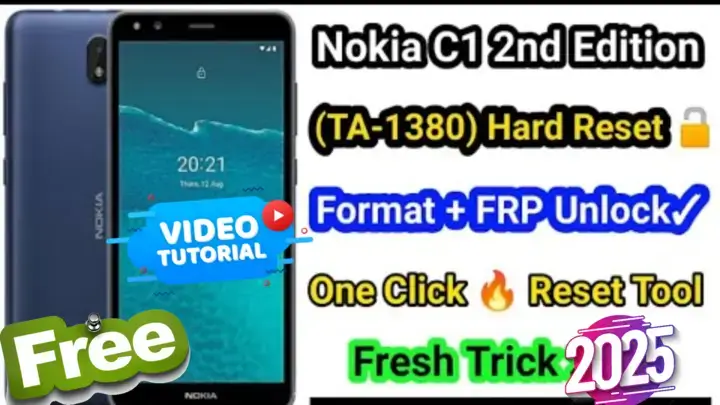
Nokia C1 2nd Edition TA-1380- حل مشكلة إعادة ضبط المصنع وتخطي FRP
إذا كنت تواجه مشكلة في ضبط المصنع لهاتف Nokia C1 2nd Edition TA-1380 أو في تخطي حساب جوجل (FRP)، فأنت في المكان المناسب. في هذه المقالة، سنشرح خطوات حل مشكلة ضبط المصنع غير الفعّالة وكيفية تخطي FRP باستخدام أداة مجانية. هذه الطريقة بسيطة وفعّالة ولا تتطلب أي معدات إضافية مثل البوكس.
لماذا تحتاج إلى ضبط المصنع أو تخطي FRP؟
قد يكون من الضروري إجراء ضبط المصنع أو تخطي FRP في الحالات التالية:
- نسيت رقم PIN أو كلمة المرور الخاصة بجهازك.
- الهاتف مقفل بعد ضبط المصنع بسبب حماية FRP.
- تواجه مشكلات في البرامج تحتاج إلى إعادة تعيين.
دليل خطوة بخطوة لضبط المصنع وتخطي FRP
1. تحميل الأداة المجانية (One-Click Tool)
لجعل العملية أسهل، قمنا بتوفير أداة موثوقة لمساعدتك في إعادة ضبط Nokia C1 2nd Edition وتخطي FRP بسهولة.
2. تحضير الجهاز
- تأكد من شحن الهاتف بنسبة لا تقل عن 50% لتجنب الانقطاعات.
- استخدم كابل USB عالي الجودة لتوصيل الهاتف بجهاز الكمبيوتر.
3. خطوات ضبط المصنع
إذا لم تعمل خاصية ضبط المصنع عبر أزرار الهاتف، يمكنك اتباع الخطوات التالية:
- قم بإطفاء الجهاز.
- قم بتنزيل الأداة من الرابط المرفق.
- شغّل الأداة وقم بتوصيل هاتفك.
- اتبع التعليمات كما هو موضح في الفيديو المرفق.
فوائد هذه الطريقة
- لا حاجة إلى بوكس: وفر الوقت والمال باستخدام أداة مجانية.
- سهلة للمبتدئين: خطوات واضحة وبسيطة يمكن لأي شخص اتباعها.
- حل فعّال: تعمل حتى إذا لم تكن خاصية ضبط المصنع تعمل بشكل طبيعي.
الأسئلة الشائعة
س: هل هذه الطريقة آمنة لهاتفي Nokia C1 2nd Edition؟
ج: نعم، الطريقة آمنة ومجربة. تأكد فقط من اتباع الخطوات بعناية.
س: هل أحتاج إلى اتصال بالإنترنت لاستخدام الأداة؟
ج: قد تحتاج إلى اتصال لتنزيل الأداة، لكن عملية التخطي نفسها تعمل بدون إنترنت.
س: هل سأفقد البيانات الخاصة بي؟
ج: نعم، إجراء ضبط المصنع سيؤدي إلى حذف جميع البيانات على جهازك. تأكد من حفظ نسخة احتياطية من الملفات المهمة قبل المتابعة.
شاهد الفيديو التعليمي
للحصول على دليل مرئي، تحقق من الفيديو الخاص بنا على YouTube حيث نعرض العملية خطوة بخطوة:
Click the arrow to reveal the translation in English
Nokia C1 2nd Edition TA-1380 – Hard Reset & FRP Bypass Solution
If you’re struggling with resetting your Nokia C1 2nd Edition TA-1380 or bypassing the Google account (FRP), you’re in the right place. In this article, we’ll walk you through the steps to resolve the Hard Reset not working issue and successfully bypass FRP using a free tool. This method is simple, effective, and requires no additional equipment like a box.
Why Perform a Factory Reset or Bypass FRP?
A factory reset or bypass FRP may be necessary if:
- You’ve forgotten your device’s PIN or password.
- The phone is locked after a reset due to FRP (Factory Reset Protection).
- You’re experiencing software-related issues that require a reset.
Step-by-Step Guide to Hard Reset & Bypass FRP
1. Download the Free One-Click Tool
To simplify the process, we’ve provided a reliable tool to help you reset your Nokia C1 2nd Edition and bypass FRP with ease.
2. Prepare Your Device
- Charge your phone to at least 50% to avoid interruptions/Setup Last SPD Driver.
- Use a good-quality USB cable to connect the phone to your PC.
3. Hard Reset Instructions
If the hard reset function is not working through the device’s buttons, you can follow these steps:
- Power off the device.
- Download the tool from the provided link.
- Run the tool and connect your phone.
- Follow the instructions as demonstrated in the video.
Benefits of Using This Method
- No box required: Save time and money by using a free tool.
- Beginner-friendly: Clear and simple steps for anyone to follow.
- Effective solution: Works even if the Factory Reset option doesn’t function normally.
Common FAQs
Q1: Is this method safe for my Nokia C1 2nd Edition?
Yes, the method is tested and safe. Ensure you follow the steps carefully.
Q2: Do I need an internet connection for the tool?
An internet connection may be required to download the tool, but the bypass process itself works offline.
Q3: Will I lose my data?
Yes, performing a Factory reset will erase all data on your device. Make sure to back up important files before proceeding.
Watch the Video Tutorial
For a visual guide, check out our YouTube tutorial where we demonstrate the entire process step-by-step
يمكنك تنزيل الادوات من الرابط التالي:
Go to the Download Page
للذهاب لصفحة التحميل
يمكنك من خلال الضغط علي الزر التالي الذهاب لصفحة فحص وتحضير الروابط.
You can go to the link preparation and check page by pressing the button below.

PASS/كلمه السر :mxegy frp
⚡ تنبيه قانوني | Legal Notice:
This tutorial is for educational purposes only. We do not endorse or support any illegal activities. Always ensure that you have the legal right to unlock and modify your device before proceeding with any FRP bypass or account unlocking methods.
هذا الدرس لأغراض تعليمية فقط. نحن لا نؤيد أو ندعم أي أنشطة غير قانونية. تأكد دائمًا من أنك تملك الحق القانوني في فتح وتعديل جهازك قبل المتابعة في أي طرق لتخطي حساب جوجل أو فتح الحسابات.
للمزيد من المعلومات وحل المشكلات الأخرى، يمكنك زيارة موقعنا الرسمي
Your support means the world to me! Whether it’s by sharing, subscribing, watching ads, or contributing in any way – every little bit helps me create more content. Thank you for being part of this journey! ❤️



Top Free Mobile Repair Tools & Mobile Repair Guides 2025
Discover More Free Mobile Repair Tools of 2025, which include a range of advanced technical solutions, Mobile Repair Guides. These tools offer the ability to unlock phones,bypass Google account verification, fix IMEI and serial numbers, as well as repair network issues and revive dead boot devices. Whether you’re looking to fix your personal device or need professional tools to assist with mobile repairs, you’ll find a collection of free tools perfect for all of this and more. Read more about each tool to get detailed instructions on how to use them properly. These tools cater to the needs of all users, whether beginners or professionals, and support most brands like Samsung, Huawei, Xiaomi, Oppo, and others.


Comments
Post a Comment