Galaxy A13 FRP Bypass Google Account Android 14 U5 U6 U7 U8 Free Tool 2025
Samsung Galaxy A13 FRP Bypass Google Account (SM-A137F) with Android 14 for versions U5, U6, U7, U8
In this article, we will walk you through a step-by-step guide to Samsung Galaxy A13 FRP Bypass Google Account (SM-A137F) running Android 14 All Security. This method is compatible with versions U5, U6, U7, and U8. With the help of the SP Flash Tool, you can regain access to your device safely and effectively.
طريقة تخطي حساب جوجل (FRP) لهاتف Samsung Galaxy A13 SM-A137F بنظام أندرويد 14 باستخدام أداة مجانيه U5 وU6 وU7 وU8
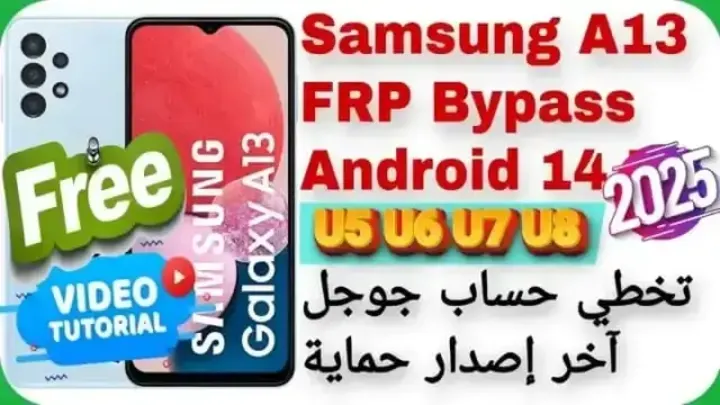
تخطي حماية جوجل (FRP) على جهاز Samsung Galaxy A13 (SM-A137F) بنظام أندرويد 14 للإصدارات U5، U6، U7، U8 يمكن أن يكون تحديًا للمستخدمين. لحسن الحظ، يمكن استخدام أداة SP Flash Tool لتجاوز هذه الحماية بسهولة.
ما هو FRP؟
FRP (حماية إعادة ضبط المصنع) هي ميزة أمان في أجهزة أندرويد تمنع الوصول غير المصرح به بعد إعادة ضبط المصنع. عند تفعيل FRP، يتطلب الجهاز إدخال معلومات حساب جوجل المستخدم مسبقًا.
ما هي أداة SP Flash Tool؟
SP Flash Tool هي أداة برمجية تُستخدم لتفليش الرومات الرسمية واستعادة الأجهزة العاملة بمعالجات MediaTek. يمكن تنزيلها من الموقع الرسمي:
خطوات تخطي FRP باستخدام SP Flash Tool:
تنزيل الملفات الضرورية:
قم بتنزيل وتثبيت تعريفات MediaTek USB VCOM على جهاز الكمبيوتر.
احصل على ملف Scatter المناسب لجهاز Galaxy A13 SM-A137F.
قم بتنزيل أحدث إصدار من SP Flash Tool وملف السكاتر اللازم للتخطي من موقعنا.
إعداد SP Flash Tool:
افتح SP Flash Tool كمسؤول.
انقر على “Scatter-loading” وحمّل ملف الـ Scatter الخاص بجهازك.
اتبع ارشادات الفيديو بالاعلي وارشادات الوصف في الفيديو بعنايه خطوه بخطوه لاتمام عمليه التخطي
ملاحظات هامة:
تأكد من شحن جهازك بنسبة كافية قبل البدء.
استخدام هذه الطريقة قد يؤدي إلى فقدان البيانات؛ لذا يُنصح بأخذ نسخة احتياطية.
الطريقه مجربه 100% ولكن استخدام هذه الأدوات يكون على مسؤوليتك الشخصية ا.
Click the arrow to reveal the translation in English
Samsung Galaxy A13 FRP Bypass Google Account (SM-A137F) with Android 14 for Versions U5, U6, U7, U8
Bypassing Google’s FRP (Factory Reset Protection) on the Samsung Galaxy A13 (SM-A137F) running Android 14 can be a challenge for many users. Fortunately, the SP Flash Tool offers a reliable solution for this task.
What is FRP?
FRP (Factory Reset Protection) is a security feature on Android devices that prevents unauthorized access after a factory reset. Once activated, the device will require the Google account credentials previously used on it to unlock.
What is SP Flash Tool?
SP Flash Tool is a software utility designed for flashing official ROMs and recovering MediaTek-based devices. You can download the tool from its official website.
Steps to Bypass FRP on Galaxy A13 using SP Flash Tool
Step 1: Download Necessary Files
- Install MediaTek USB VCOM drivers on your PC.
- Obtain the appropriate Scatter file for the Galaxy A13 SM-A137F.
- Download the latest SP Flash Tool and the necessary bypass files from our website.
Step 2: Configure SP Flash Tool
- Launch SP Flash Tool as Administrator.
- Click on Scatter-loading and load the Scatter file specific to your device.
- Carefully follow the video tutorial linked above and the step-by-step description provided in the video for detailed guidance.
Important Notes
- Ensure your device has sufficient battery charge before starting the process.
- This method may result in data loss, so it is recommended to back up your data beforehand.
- While this method has been tested and is 100% functional, using these tools is at your own risk.
For further assistance, detailed instructions, and video guides, visit our YouTube channel or website.
يمكنك تنزيل الادوات من الرابط التالي:
Go to the Download Page
للذهاب لصفحة التحميل
يمكنك من خلال الضغط علي الزر التالي الذهاب لصفحة فحص وتحضير الروابط.
You can go to the link preparation and check page by pressing the button below.

PASS/كلمه السر :mxegy frp
⚡ تنبيه قانوني | Legal Notice:
This tutorial is for educational purposes only. We do not endorse or support any illegal activities. Always ensure that you have the legal right to unlock and modify your device before proceeding with any FRP bypass or account unlocking methods.
هذا الدرس لأغراض تعليمية فقط. نحن لا نؤيد أو ندعم أي أنشطة غير قانونية. تأكد دائمًا من أنك تملك الحق القانوني في فتح وتعديل جهازك قبل المتابعة في أي طرق لتخطي حساب جوجل أو فتح الحسابات.
للمزيد من المعلومات وحل المشكلات الأخرى، يمكنك زيارة موقعنا الرسمي
Your support means the world to me! Whether it’s by sharing, subscribing, watching ads, or contributing in any way – every little bit helps me create more content. Thank you for being part of this journey! ❤️



Top Free Mobile Repair Tools & Mobile Repair Guides 2025
Discover More Free Mobile Repair Tools of 2025, which include a range of advanced technical solutions, Mobile Repair Guides. These tools offer the ability to unlock phones,bypass Google account verification, fix IMEI and serial numbers, as well as repair network issues and revive dead boot devices. Whether you’re looking to fix your personal device or need professional tools to assist with mobile repairs, you’ll find a collection of free tools perfect for all of this and more. Read more about each tool to get detailed instructions on how to use them properly. These tools cater to the needs of all users, whether beginners or professionals, and support most brands like Samsung, Huawei, Xiaomi, Oppo, and others.


Comments
Post a Comment